A Few Days with NETGEAR R6300V2
I Got a NETGEAR R6300V2 to Use as an AP
The NETGEAR R6300V2 is a good router. Plenty of people say the first thing you should do after buying one is 1.
I have no idea what that Merlin thing even is. I’ve always used Linksys and never touched NETGEAR’s higher-end stuff, but I finally picked up an R6300V2 during a JD sale a while back. Not for home, though — it’s for work, where it serves as a plain AP.
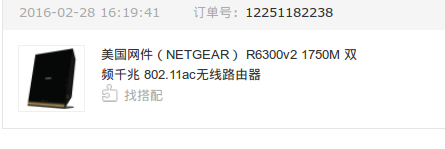
The network situation at work is a bit messy. First, the office has around 20-plus phones and tablets that need to connect wirelessly, plus 5–6 laptops. So the office Wi-Fi has some requirements.
The office has three ISP connections coming in: one China Unicom (Netcom), one China Mobile, and one China Telecom. Telecom has the most bandwidth, Netcom the least, and Mobile sits in the middle. But for certain reasons you probably know, the best route for “scientific browsing” is Netcom, while Telecom is fastest for domestic sites. Mobile is the awkward one — not good enough for either. The gateway router has an address table that decides which exit to use based on the ISP address ranges in it.
That setup doesn’t satisfy me. I need to specify the network exit more bluntly.
Before I got the R6300V2, this was the network gear in the office:
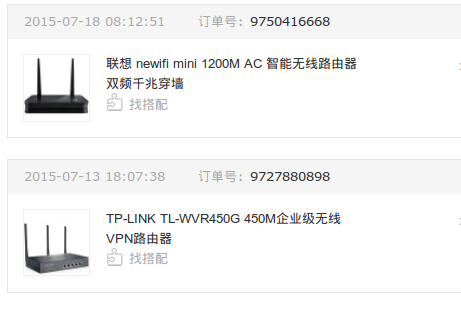
The WVR450G handled the main routing and the 2.4G AP signal, while the newifi was purely responsible for the 5G signal. And as you’d expect, the newifi is shit even as a plain AP.
After the R6300V2 arrived, I disabled the WVR450G’s wireless, set the R6300V2 to AP mode as a pure wireless transmitter, turned on both of its bands, and adjusted the AP settings.
The WVR450G supports dual WAN by default, so I connected two of the office’s internet lines. On the gateway routing table, I forced one port’s line to Unicom and the other to Telecom.
Then I added rules in the WVR450G: anything going through the SS scientific-browsing port exits via the Unicom WAN, and all other connections involving proxies or overseas traffic are also forced out through the Unicom WAN.
Everything that isn’t a scientific-browsing or international connection request gets routed through Telecom.
So the WVR450G became a pure router, and the R6300V2 became a standalone AP. After about a week and a half of testing, this combo works well — really well — and it automatically uses the Unicom line for overseas sites.
One last thing I want to emphasize:
If you’re just buying a router to use as an AP like me, or you’re after stability, don’t flash third-party firmware. The stock firmware is best. I flashed Merlin and found it hard to even log into the system, and the AP mode in Merlin is actually useless.
In the end I flashed back to stock and that settled it. Original parts really are better.
Comments are hosted on the Chinese main site. This mirror is read-only.