Raspberry Pi 3 Unboxing
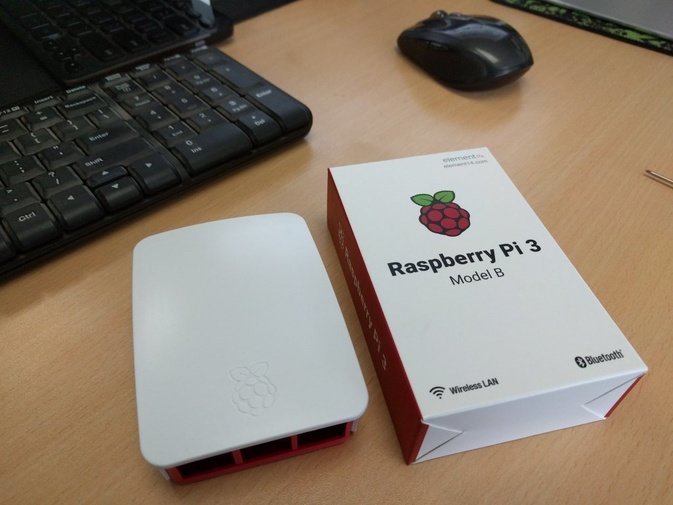
I bought the Raspberry Pi 3 the moment it launched, ordering from the official element14 store in China — original board, original case.
The case showed up ages ago. The board itself, element14 called to say it wouldn’t ship until the end of March. Credit where it’s due though, they actually shipped it.
Once it arrived I got straight to installing an OS. Personally I’d recommend Ubuntu Mate 16.04 for Pi Edition. It’s Beta 2 right now, but the final release isn’t far off, so whatever.
Installation is easy — just write the downloaded image to a TF card.
Honestly Ubuntu Mate is the shit these days, especially now that this knockoff Unity is in. You can tweak literally everything!!
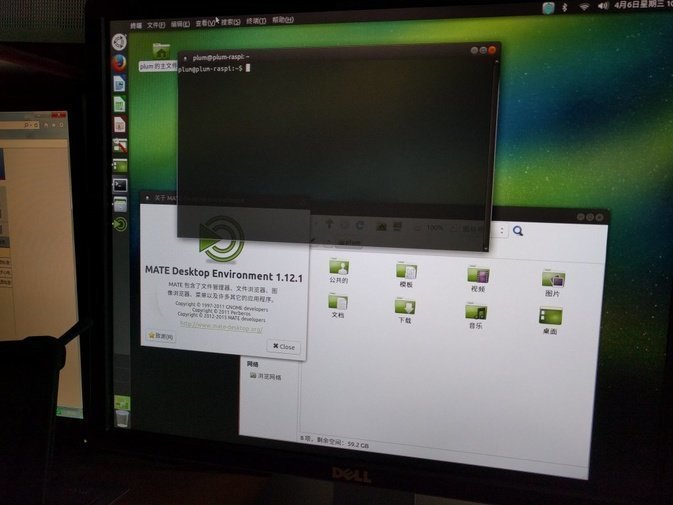
After installing, remember to update the system. Before that, don’t forget to expand the SD card to the full capacity.
sudo fdisk /dev/mmcblk0
Type d, Enter, 2, Enter to delete the original partition, then n, Enter, p, Enter, Enter twice to create a new partition, and finally w, Enter to save.
Now reboot, and once it’s back up, resize the partition.
sudo resize2fs /dev/mmcblk0p2
More info on the Ubuntu Mate Raspberry Pi version is in the official install guide. Worth noting Ubuntu Mate is actually a community-supported version, which makes it a bit better than Xubuntu and the rest — at least the default fonts are nicer than ugly old Raspbian’s.
By the way, my Pi 3 is outputting to a 1366 X 768 screen over HDMI-to-VGA, but the resolution stubbornly refuses to show 1366 X 768. All I get is 1024 X 768, which looks squashed and awful.
Here’s a fix. Not perfect, but at least the aspect ratio is right.
Type
tvservice -m CEA
and check whether your native resolution is in the listed modes. If not, check this one:
tvservice -m DMT
If neither has it, do what I did and pick something with the same aspect ratio. I found 1270 X 720, at least it’s 16:9 — it’s in the fourth column of CEA.
That’s Group 1 Mode 4.
Run:
sudo nano /boot/config.txt
Add the following, or if you’re feeling adventurous find the original lines and uncomment/modify them instead
hdmi_group=1
hdmi_mode=4
After booting, at least the aspect ratio is correct, and from there you can get on with more uses.
Also, Bluetooth and Wifi on Ubuntu Mate For Raspberry Pi 3 both work fine now. Good news.
Comments are hosted on the Chinese main site. This mirror is read-only.