USB Mini Screen Machine Status Display
A while back Taobao had a batch of cheap USB mini screens… sold under the guise of digital photo frames, except you can flash them into USB monitors and then use them to display your host machine’s status externally.
Flashing these things requires Windows. I got mine a long time ago and never got it working properly, so I never wrote anything down. Figured if I don’t record it now it’ll be lost forever, so might as well write it up.
Simply put: first follow http://koolshare.cn/thread-43420-1-1.html this tutorial to flash it into a USB monitor, then use AIDA64 or lcd4linux to push content to it.
Here are the two most critical pitfalls:
Pushing content with AIDA64 on Windows requires a driver, and starting with Windows 8 drivers are force-signed, so you have to disable that first — Windows 10 is no exception.
Using lcd4linux on Linux: on Ubuntu the latest version works fine, but on Debian, unless you’re on Unstable, the version you install can’t read status, so you have to compile it yourself. That’s why I still haven’t gotten it working — I’m using it with my NAS, and the NAS runs Debian, so it’s a real headache.
Ubuntu on my laptop works fine though, and I got it running:
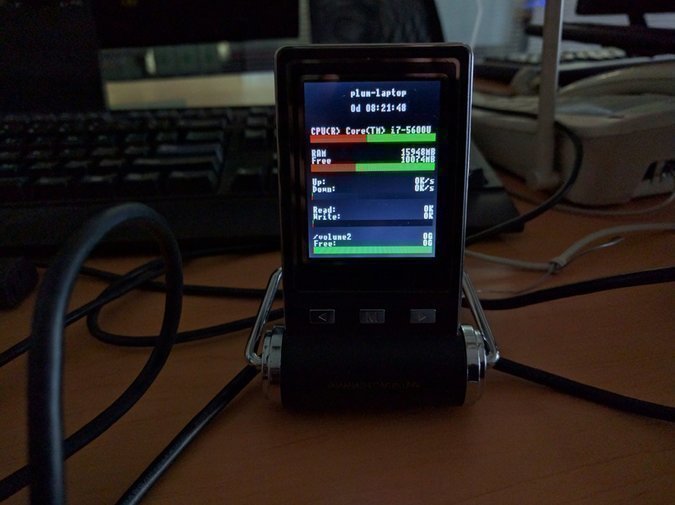
You can make it prettier — just search around for templates.
Anyway, that’s roughly where this thing stands for now. If I get a chance to improve it later I’ll write another post. I bought three of them — two for work, one for home — should be enough.
Comments are hosted on the Chinese main site. This mirror is read-only.