ThinkPad X250 Cooling Mod: A Handy-Dandy Bit of Meddling
A while back I repasted the X250 and strapped on an external cooler, but it still wasn’t enough. The main problem: temps still blow up when it’s docked.
Three reasons:
- Broadwell runs hot as hell to begin with
- The X250 has a single heat pipe, so the cooling is dogshit
- The X240/X250 dock is badly designed and doesn’t account for thermals at all
Anyway, temps are exploding and I need to fix it, so I’ve got a few angles to attack from.
First, swap the fan.
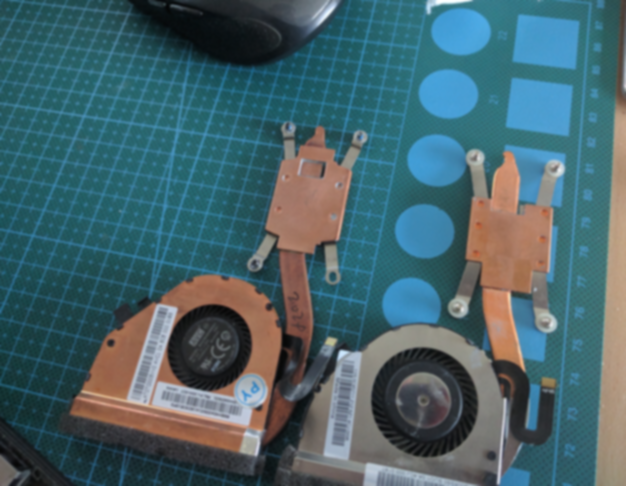
The stock X250 fan and the latest FRU fan are not the same. The newest one is AVC. I know AVC has a shit reputation, but design-wise the newer one really does have a slightly bigger copper plate than the old one.
After comparing them several times, I found the AVC fan spins up to 3000 rpm the moment it kicks in, while the original always sat around 2500-something. You’d think the original is better, but it spins slower and performs worse.
After weighing it back and forth, I went with the new one. (New fan on the left.)
Same deal here: I don’t get why they deliberately leave an empty gap over the southbridge or northbridge or whatever chip that is on the CPU instead of just slapping a copper shim on it. I looked it up and the original is supposed to have a thick blob of thermal paste in that gap. If you’re a masochist you can shim it with copper too.
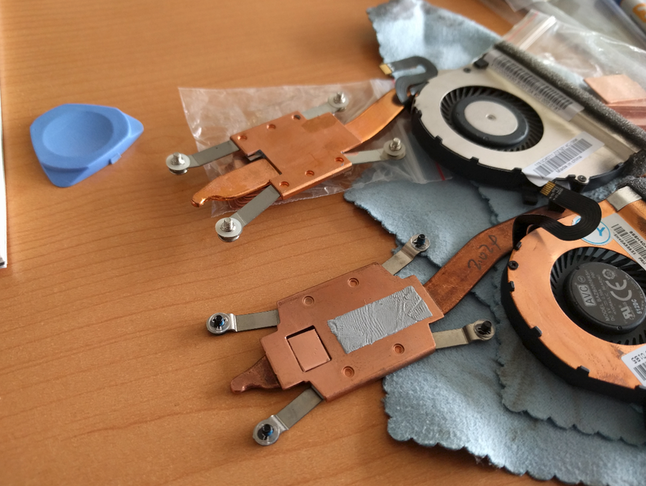
After the fan swap I tried adding thermal foil tape and thermal silicone to the heat pipe, but the effect wasn’t obvious—if anything it made things worse. Thinking about it later: the heat pipe’s whole job is moving heat out, so randomly fucking with it isn’t right. I dropped it.
Of course tragedy struck. While repeatedly taking the fan off and putting it back on, I snapped the latch on the fan ribbon cable…
Such a tiny latch, and swapping the motherboard over it isn’t worth it, so I had to repair it.
That ribbon needs full even pressure across all contacts to work properly, so I grabbed a staple, bent it, covered it in clear tape, and pressed it down. Still wouldn’t stay put. So I added a double-sided adhesive pad and used the RAM stick as extra ballast.
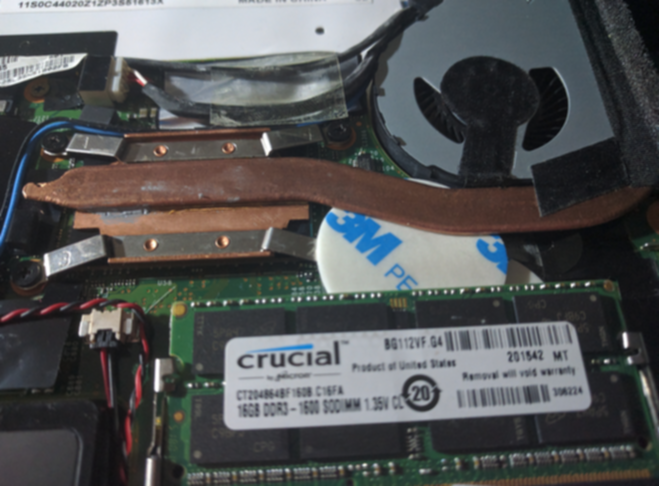
It held, but not long after it started losing contact. A flaky fan connection means the thing won’t even boot without an error, so I said fuck it and piled on a bit more thermal silicone. That way, once the bottom cover clips on it applies downward pressure and keeps the fan cable connected for sure.
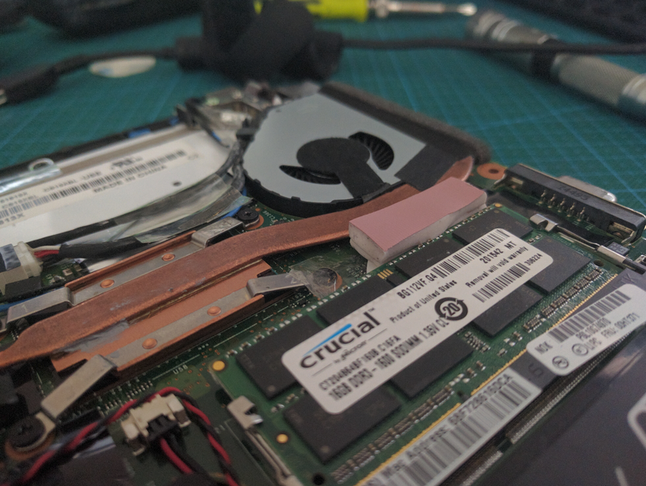
Worked great—at least I saved it. Otherwise I’d have been proper screwed. Lesson: be careful with ribbon cable latches when you tear down a laptop. They’re all fragile as hell, and once one snaps you’re up shit creek.
Last thing: I needed to conduct heat away from the X250’s dock, since the dock itself is what seals off the vents on the bottom of the laptop. So I just laid a few heat pipes across the bottom.
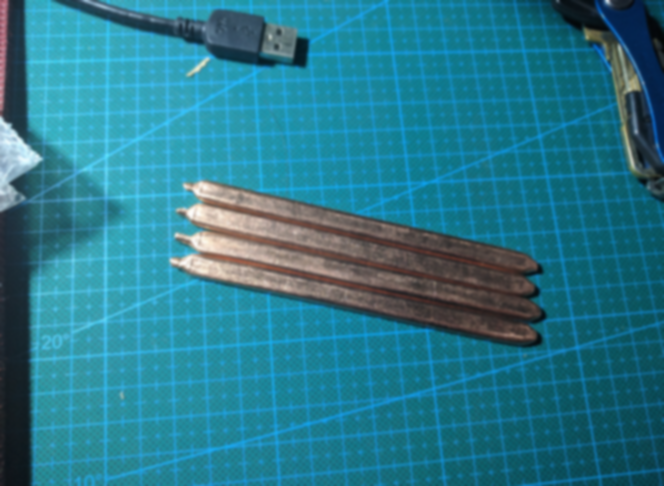
Heat pipes conduct heat. Whatever I can dump out, I’ll dump out.
Final results are a mixed bag. At full load it never went past 90°C again, but hitting 80°C is still easy, and it usually hovers around 70°C.
Later I read up on it: good cooling is about how fast heat gets out—i.e., after going from full load to idle, does the temp drop immediately and fast?
My machine does pass that test. But at high temps I still can’t fully keep it under control. I looked around and plenty of foreign users have the same issue. Maybe that’s the sad reality of today’s ultrabooks.
All in all, I don’t know if this round of tinkering actually accomplished anything, and I nearly wrecked the motherboard along the way. Unless you’re bored out of your skull, don’t go poking around like this.
Comments are hosted on the Chinese main site. This mirror is read-only.