Review: Phicomm K2 Router
Phicomm K2 Router: Flashing Third-Party Firmware Out of the Box
The Phicomm K2 router is a fairly controversial product.
First, the downsides:
- Performance is poor
- The list price is too high
- The stock firmware has a backdoor
- It looks ugly
- No gigabit LAN
But it has some upsides too:
1. It’s often given away for free.
That one upside is a bombshell that completely obliterates all the downsides above… And nobody would want to use the stock firmware anyway, since you can flash all sorts of third-party ones. Of course, there are rumors that the hardware might have a backdoor too, so if you don’t mind Uncle Guoan using this router to peek at the little siscon doujinshi on the computer in your house, you can buy one and check it out.
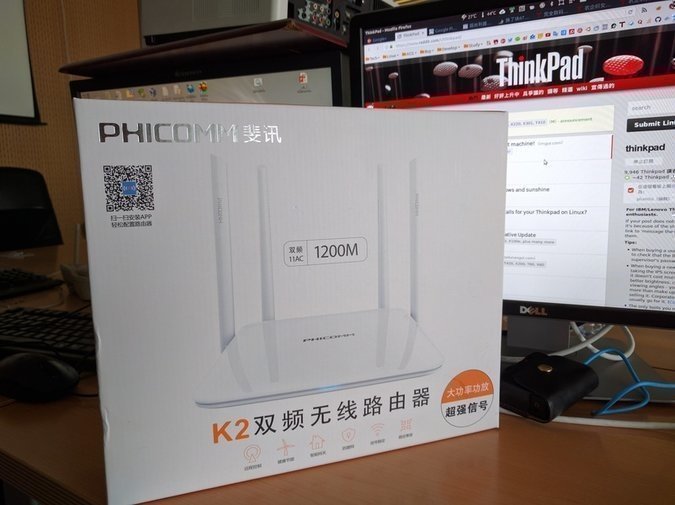
Once it arrives you’ll definitely want to flash third-party firmware. There are many methods, and they’re tedious, so I won’t go into detail here — see the author’s link:
http://www.right.com.cn/forum/thread-187521-1-1.html
But the author himself also made a more idiot-proof flashing method — three steps and you’re done.
- Power on the router and configure the WAN port. The default address should be 192.168.2.1.
- Open the router’s admin page in a browser, then type http://t.im/asus into the address bar. Remember, you must open it while on the router admin page, and make sure the router’s WAN port is configured and can reach the internet. (Because this address is actually a 192.168.2.1/XXX special address that includes running a script.)
- Then wait about a minute. The browser will seem to stop responding, but don’t worry about it — after a while the router reboots automatically and returns to the login screen. After logging in you’ll see a message that the flash succeeded.
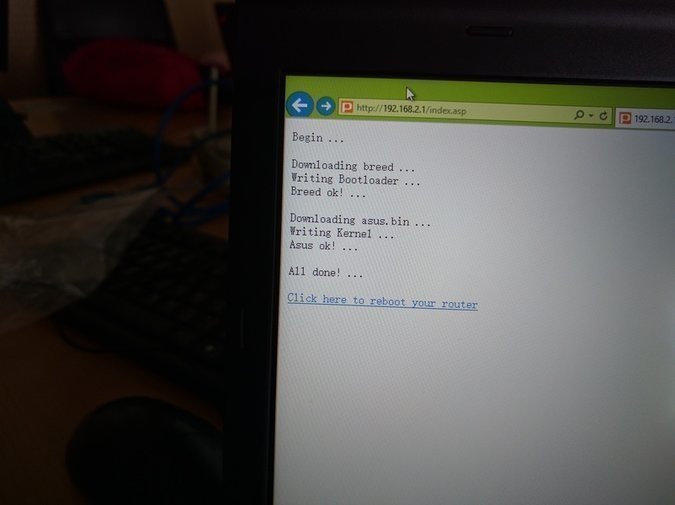
Remember to click the link at the very bottom, then the router reboots and everything is done.
After the reboot the router’s AP becomes ASUS, and the firmware is now a modified Asus one. The default AP password is 1234567890. The ROM has lots of features, including circumventing the Great Firewall and DNS anti-poisoning. I tested it and it works, speed is decent, though the load is unknown.
All in all it seems to be free — you just have to wait a month for the cashback. There are old hands driving the car, but there’s also the risk of crashing. If you’re not afraid, take a look; buying one as a secondary router for bypassing the firewall is somewhat useful.
Comments are hosted on the Chinese main site. This mirror is read-only.