Fixing the Tiny Mouse Cursor in Dota 2 at 4K Resolution
Advertisement
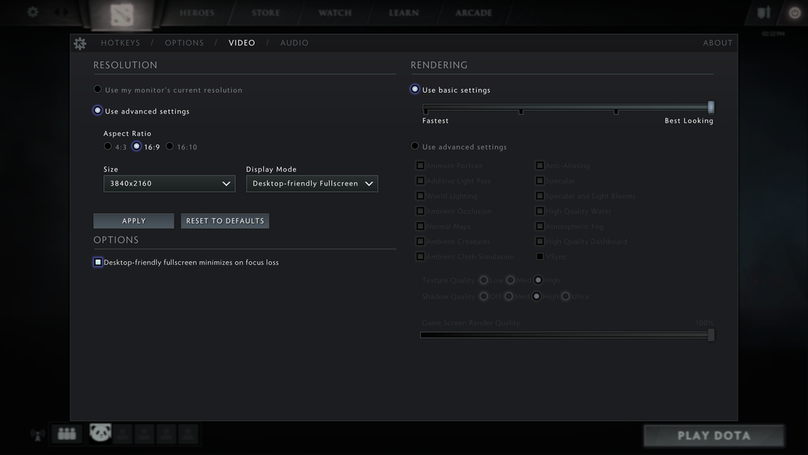
Got a new GPU, so Doto 2 finally runs smooth at native 4K. Except there’s still a problem — the mouse cursor. It’s always stuck at the default tiny-ass size, and you can’t see a damn thing.
There’s a temporary workaround: after launching the game, force a resolution change once, and the pointer gets bigger. But next time you start it, it shrinks right back down.
Advertisement
![2016-07-24 14-32-57 screenshot.png][1]
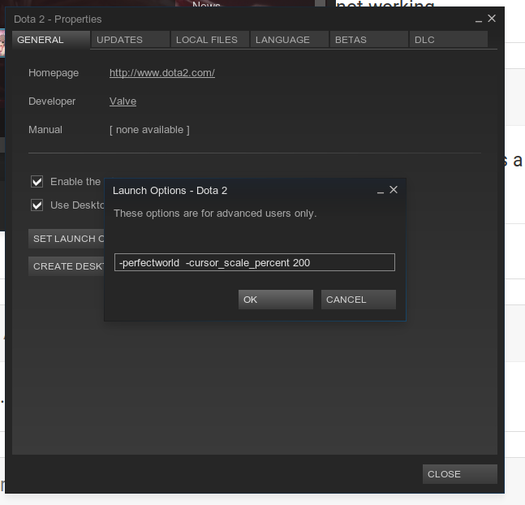
There is a permanent fix, though — add a parameter:
![selection_159.png][2]
-cursor_scale_percent 100
100 means 100%. On a 4K display, 200 is what works best for me.
Problem solved. [1]: https://plumz.me/usr/uploads/2016/07/2853014696.png [2]: https://plumz.me/usr/uploads/2016/07/623419036.png
Comments are hosted on the Chinese main site. This mirror is read-only.