Tuning In to the AnimeNFO Anime Radio Station
Advertisement
I do like listening to music, but I also remember everything I’ve ever collected, so sometimes I need to just let random tracks play and see what turns up. Maybe I’ll stumble on something I’ve never heard before.
There’s a good spot for that: AnimeNFO Radio, run by some foreigners, a free station that streams 24 hours a day. You can donate too, of course.
Advertisement
https://www.animenfo.com/radio/
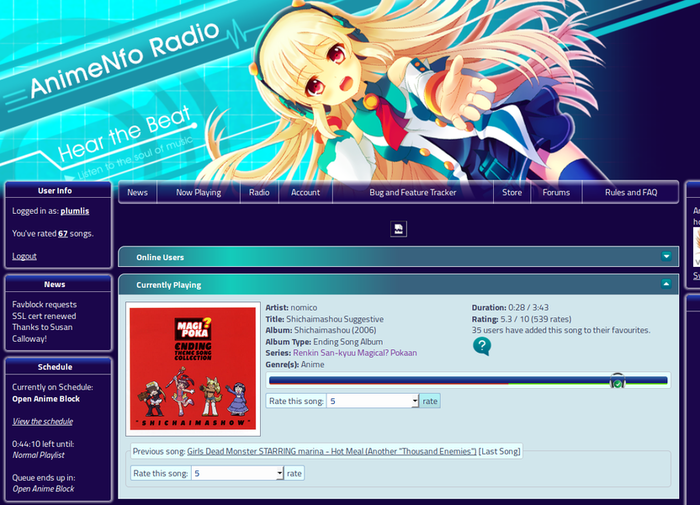
Things to know:
- Just grab a mirror server address from the Listening section. It’s probably a pls address, and you can add that straight into any player that supports streaming. I’ve tried iTunes, VLC, and Windows Media Player, and they all work.
- You can register an account and make song requests. It’s easy and also a pain in the ass: it’s all romaji, and your song might not even be in their library. The foreigners seem to like four-on-the-floor club tracks and Touhou.
- You can rate songs, though it does basically nothing.
- There’s a Chatbox where you can talk to the foreigners, though most of them are dumbasses who only ever say “nice request.”
- There are lots of mirrors, so pick a high-bitrate one when you can. AAC beats MP3, but bitrate matters more: 192kbps is way better than 128kbps, and switching between them makes the difference obvious fast.
- All the mirror servers are in Canada, that land of hotpot carpools and hookups. On a domestic connection I’d go with China Unicom; no idea about international lines.
If you’re on Ubuntu, try GRadio, which just came out. It has AnimeNFO built in, plus a bunch of other stations.
https://github.com/haecker-felix/gradio
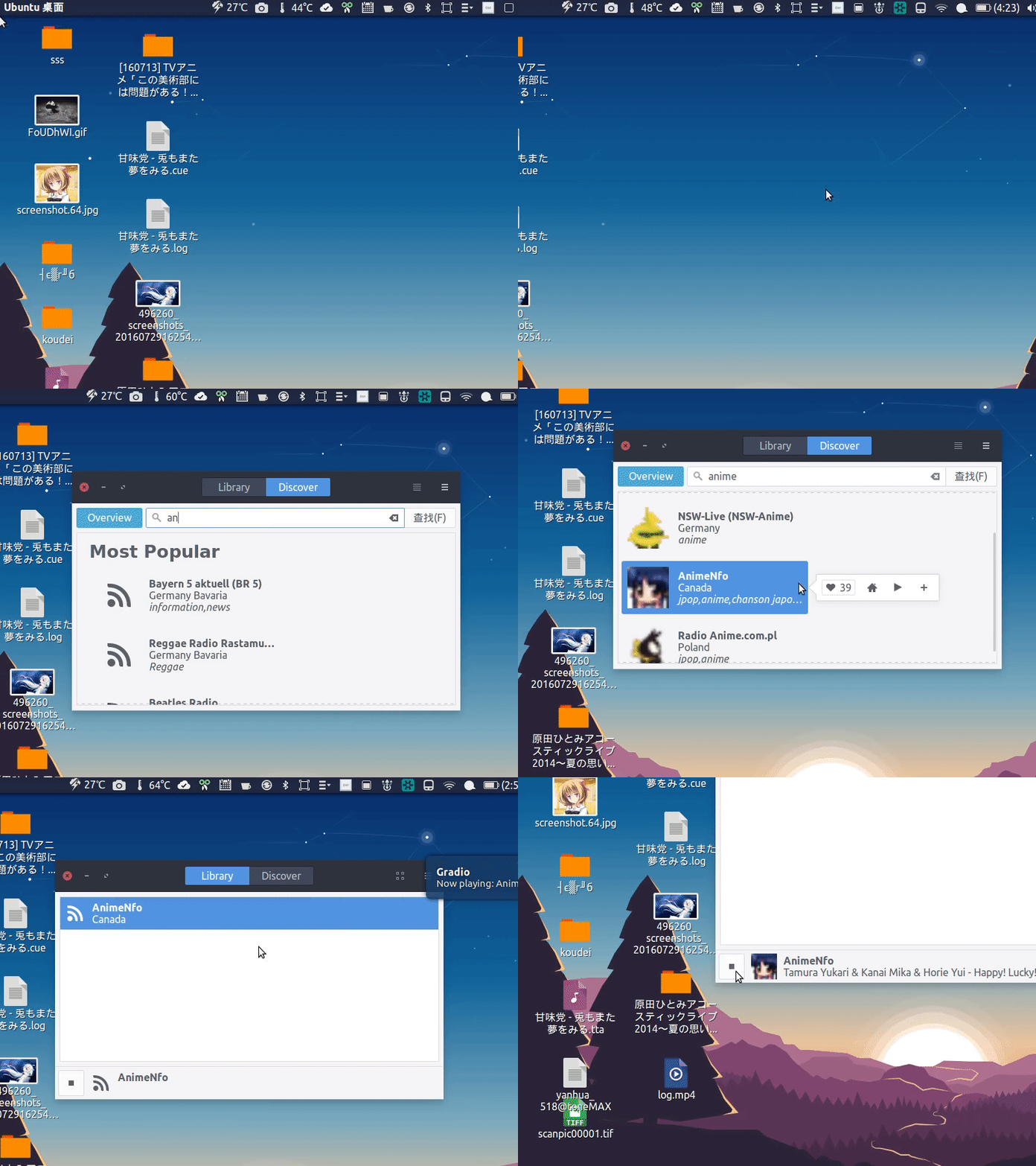
sudo add-apt-repository ppa:haecker-felix/gradio-daily
sudo apt-get update
sudo apt install gradio
Honestly though, it’s just okay. Playing the PLS directly in VLC gets you the same thing.
Comments are hosted on the Chinese main site. This mirror is read-only.