Fixing the i386 Error in Chrome's apt Repository on 64-bit Ubuntu
Advertisement
After you install the official Chrome for Ubuntu package, it drops an official repo into your sources.
First off, hitting that address directly is a lost cause…
Advertisement
But add https and it’s a different story.
Even then you still get a warning, if you’re on 64-bit.
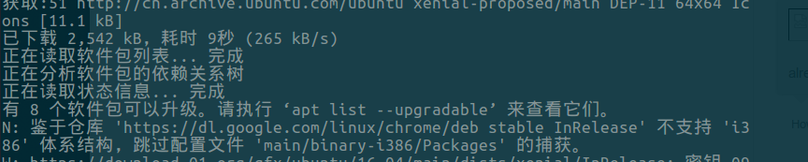
Just force 64-bit:
sudo sed -i -e 's/deb http/deb [arch=amd64] http/' "/etc/apt/sources.list.d/google-chrome.list"
Comments are hosted on the Chinese main site. This mirror is read-only.