Installing the arc-flatabulous theme on Ubuntu
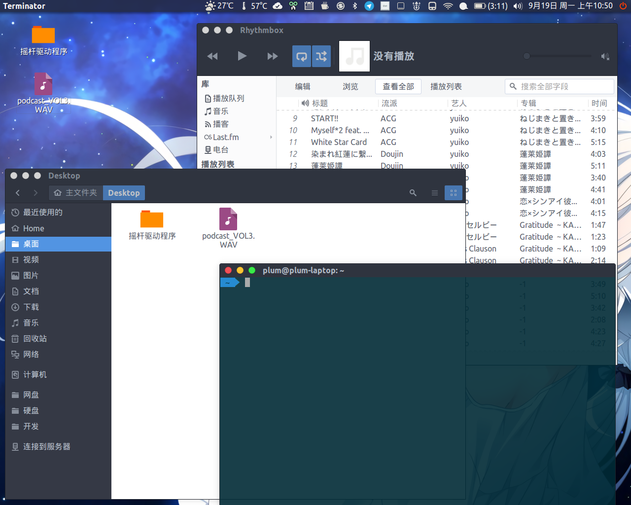
arc-flatabulous is a fork of the famous Arc theme. The author tweaked the colors in a few places and changed the button colors so it looks more like MacOSX (huge doubt).
Same as installing Arc-Theme, you need to delete the old stuff first, if you’ve installed it before. (Skip this if you haven’t.)
sudo rm -rf /usr/share/themes/{Arc-Flatabulous,Arc-Flatabulous-Darker,Arc-Flatabulous-Dark}
rm -rf ~/.local/share/themes/{Arc-Flatabulous,Arc-Flatabulous-Darker,Arc-Flatabulous-Dark}
rm -rf ~/.themes/{Arc-Flatabulous,Arc-Flatabulous-Darker,Arc-Flatabulous-Dark}
Then you build it yourself. Building it yourself is recommended; the PPA has issues.
git clone https://github.com/andreisergiu98/arc-flatabulous-theme && cd arc-flatabulous-theme
For the build flags, I strongly suggest adding the disable-transparency option. Why? Try it without disabling it and you’ll see.
./autogen.sh --prefix=/usr --disable-transparency
sudo make install
Uninstalling is easy too:
sudo make uninstall
Or
sudo rm -rf /usr/share/themes/{Arc-Flatabulous,Arc-Flatabulous-Darker,Arc-Flatabulous-Dark}
Last thing: I think this theme is better than vanilla Arc. The colors are easier on the eyes, and some small bugs are fixed too. For detailed updates, check the project page:
https://github.com/andreisergiu98/arc-flatabulous-theme
Comments are hosted on the Chinese main site. This mirror is read-only.