X230 Cooling Mod
I picked up this ThinkPad X230 a year ago, and I’ve been tinkering with it on and off since. Swapped the SSD, swapped in a bigger drive, even swapped the screen. This time it was the cooling system’s turn.
The machine itself doesn’t actually run that hot, and I can’t feel the heat or hear the fan, but the monitoring told another story. 55°C the moment it boots, fan spinning non-stop, and it shoots up to 60–70°C within minutes of hooking up an external monitor. The fan alone was pulling 10W, which was murdering my battery life. So I decided to tear it down, repaste, and clean out the dust.
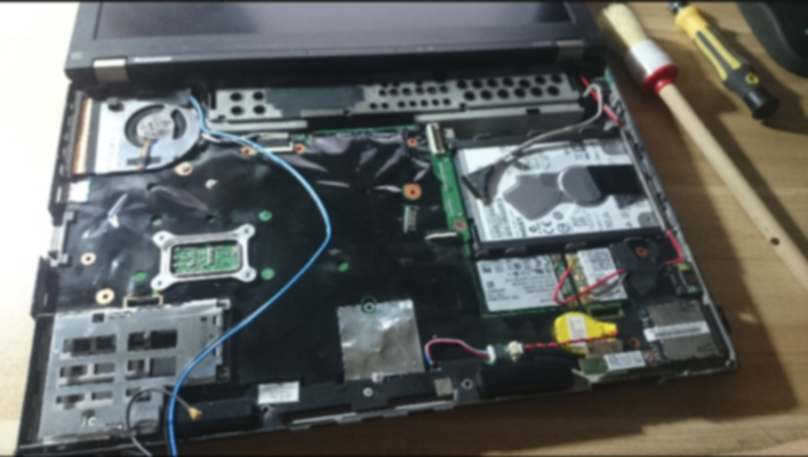
There are plenty of teardown guides out there; I followed this one. Disassembly went smoothly. Then I found the problem… there’s a huge gap between the southbridge chip and the heatpipe. It was originally bridged with a thermal pad, which I idiotically wiped off, and the thing was dried out anyway. Which means unless I slather on 0.4mm worth of thermal paste, there’s no way to guarantee proper contact between the heatpipe and the southbridge.
The fix: thick paste, a thermal pad, or a copper shim. I went with the copper shim.
Lucky for me there’s a decent shop here in Zhengzhou that does cooling and mod work. Grabbed a shim and some paste from them and got back to it.
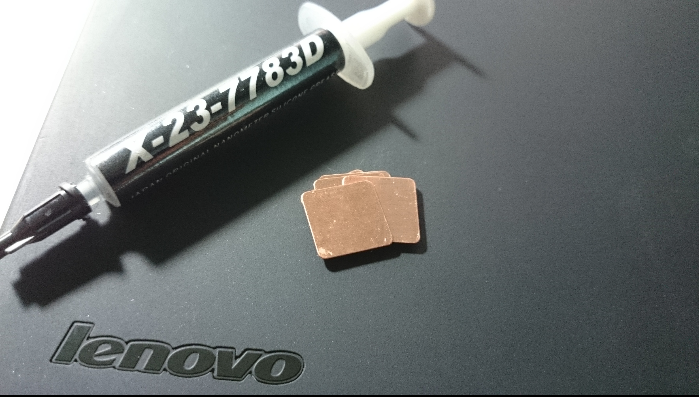
Use a 0.3mm copper shim. The paste was 7783, recommended by the shop. Some people say it’s fake, but real or not, it’s thick as hell — use finger cots and a spreader. The CPU went fine. For the southbridge, spread paste on both ends, slip the shim in, and you can reassemble.
For cleaning the fan, I’d recommend a brush plus an air blower. Not hard at all. The genuinely annoying part is the paste and the shim.
Watch the details when putting it back together — if some clips aren’t seated right, parts of the chassis will rattle. I assembled it twice.
The results were dramatic. Idle at boot sits around 43°C, fan doesn’t even need to spin. After a couple hours of CS:S and four Flash windows running, peak was 60°C — never above 60, hovering around 55. Keep in mind that was the idle-at-boot temperature before the cleanup.
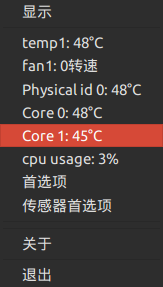
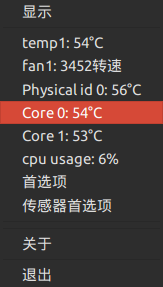
All in all, a big win for cooling.
Honestly I still love ThinkPad’s modular design. My next laptop will probably be another ThinkPad X series…
Comments are hosted on the Chinese main site. This mirror is read-only.