Hands-on: Google Cardboard
Cheap Virtual Reality Box: Cardboard
Cardboard is a little freebie Google handed out at its developer conference. With a handful of demo apps it gives you a fairly basic virtual reality experience — basic, but supposedly mind-blowing.
Supposedly. I saw people’s reactions on various forums, and the crowd was unanimous: it blew their faces off, it was the shit, it was unbelievably awesome.
So of course I got curious… no, really, curious. So I picked one up. Mine was 20 yuan on Taobao. You can also download the PDF template and DIY one out of cardboard yourself — the box is cheap, the convex lenses are the annoying part to find.
When it arrived, the knockoff level turned out to be pretty high. Apart from the missing NFC, everything it should have is there.
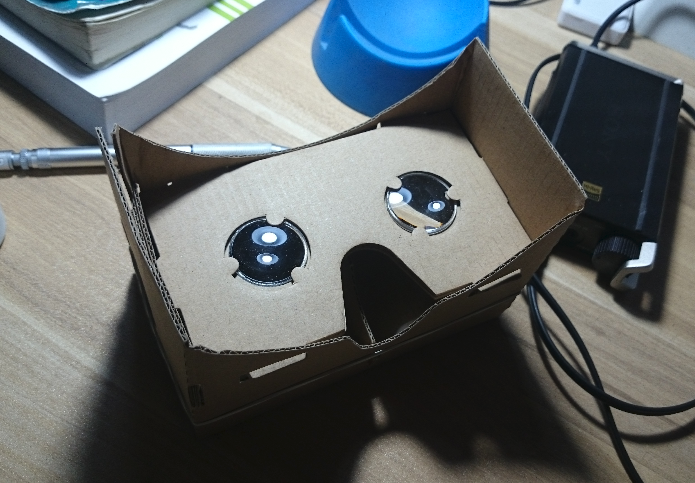
Using it is pretty straightforward. Download the app from Google Play, put your phone into the assembled box — mine is a Sony Z1, which feels just right; a Nexus 5 might be slightly better. Some guy asked whether the bigger ZU would fit, and I don’t think there’s a chance. Though given how the thing works, if you rig up some rubber bands to hold it in place, it’ll still function.
There’s a magnet button on the left side of the box; flick it and it triggers a tap on the screen through the sensor, so you don’t have to look like an idiot pulling your phone out to tap the screen. But this seems aimed at the Nexus line — with a Sony Z1 you have to insert the phone the other way around, and Z1’s auto-rotate is disabled on the app launcher screen, so it’s a hassle: insert it backwards, flip the whole box upside down, and it barely works.
The demos are neither a lot nor a few: the famous city tour, some static environment viewing, 3D object demos, and the YouTube cinema.
The YouTube cinema is the standout. The video isn’t 3D, but it genuinely feels like watching a movie in a theater. Take the phone out and look at it, and “virtual reality” is just the 3D-glasses principle — different content for each eye, plus motion tracking. But such a simple implementation gives us a lot of hope. If a cheap, decent display device like this comes along, I’d consider buying one for watching movies.
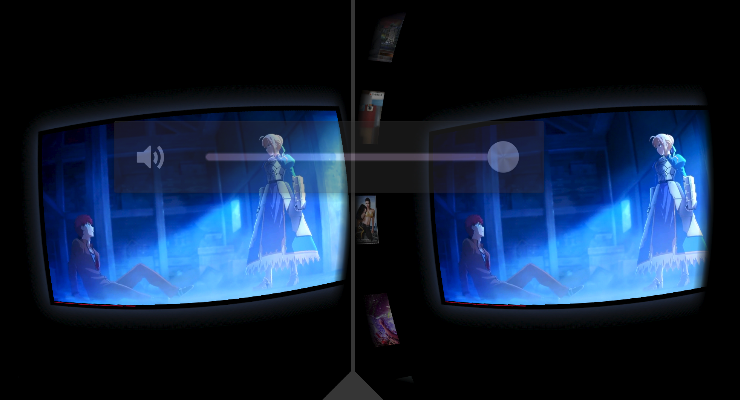
Anyway, it’s a fun little gadget worth trying. I hear Taobao has them for 11 yuan now. Whether you DIY it or buy one is up to you.
Comments are hosted on the Chinese main site. This mirror is read-only.