Installing the 4.8 kernel on Ubuntu 16.04 and fixing what breaks
This method is outdated. There’s a newer, officially supported way—click here to see it /archives/5013/
Yakkety (16.10) has been out for a while, but the official Ubuntu 16.04 repos still haven’t picked this thing up.
So I had to install it myself. Great.
First, install the new Linux-firmware, pulled from 16.10.
Then add the official testing PPA and install the new kernel.
sudo add-apt-repository ppa:canonical-kernel-team/ppa
sudo apt update
sudo apt install linux-image-generic-lts-yakkety

If you’re on a ThinkPad, you’ll hit a tp-smapi module build failure. Easy fix: install the 16.10 tp-smapi.
And if you have VMware installed, you’ll hit another module build failure…
There’s a solution for that too.
sudo -s
cd /usr/lib/vmware/modules/source
tar xf vmmon.tar
mv vmmon.tar vmmon.old.tar
sed -r -i -e 's/get_user_pages(_remote)*/get_user_pages_remote/g' vmmon-only/linux/hostif.c
sed -r -i -e 's/NR_ANON_PAGES/NR_ANON_MAPPED/g' vmmon-only/linux/hostif.c
tar cf vmmon.tar vmmon-only
rm -r vmmon-only

tar xf vmnet.tar
mv vmnet.tar vmnet.old.tar
sed -r -i -e 's/get_user_pages(_remote)*/get_user_pages_remote/g' vmnet-only/userif.c
sed -i -e 's/dev->trans_start = jiffies/netif_trans_update\(dev\)/g' vmnet-only/netif.c
tar cf vmnet.tar vmnet-only
rm -r vmnet-only
Run it again and the modules compile fine.
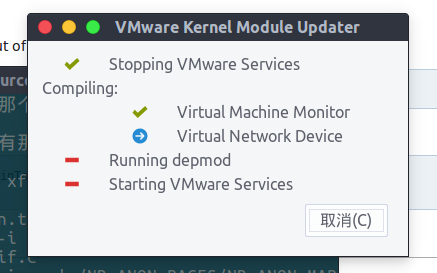
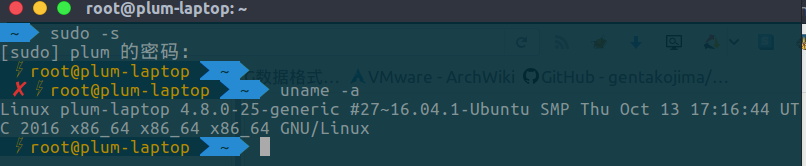
Then you can enjoy the brand-new 4.8 kernel.
References: How can I use 16.10 Yakkety kernel in 16.04 Xenial? https://wiki.archlinux.org/index.php/VMware#Linux_kernel_4.8 tp-smapi-dkms 0.41-1: tp-smapi kernel module failed to build https://mirrors.kernel.org/ubuntu/pool/main/l/linux-firmware/
Comments are hosted on the Chinese main site. This mirror is read-only.