Entering Kaomoji / Emoji on Ubuntu Linux?
Advertisement
There are a few ways to type kaomoji on Ubuntu. Let’s start with input methods — Fcitx’s “Jiong Lian” input method has a fairly unique approach to kaomoji.
You can install a standalone table:
Advertisement
sudo apt install fcitx-table-emoji
This standalone input method can be added, and you can also use the ; key to type individual kaomoji.
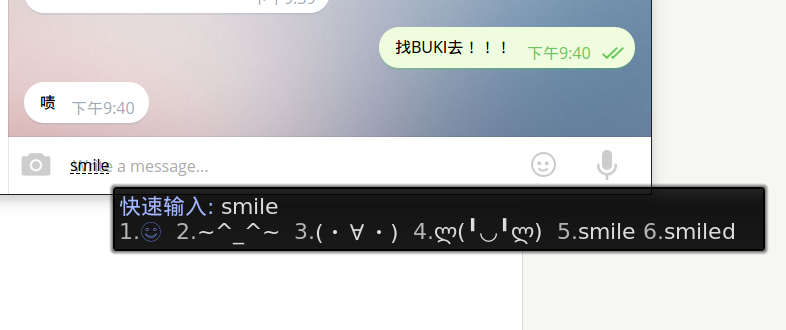
For emoji, there’s another way using Unicode input — press Ctrl+Alt+Shift+U:
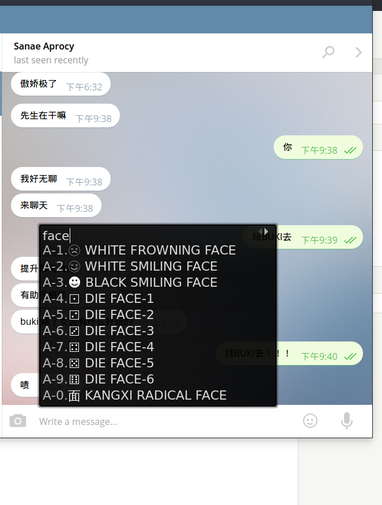
It’s a bit unintuitive though, so you can install emojione-picker-ubuntu:
sudo add-apt-repository ppa:ys/emojione-picker
sudo apt update
sudo apt-get install emojione-picker
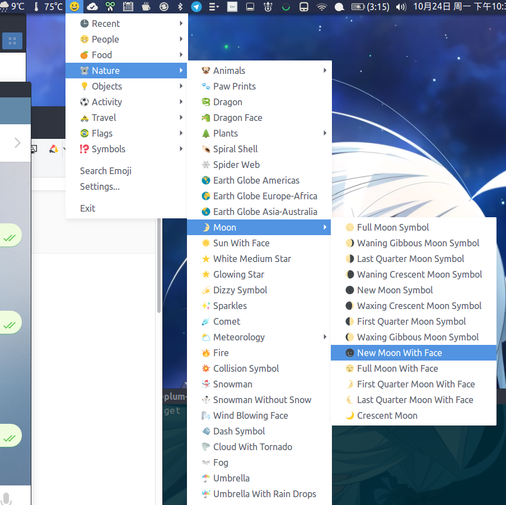
That’s more straightforward. Of course, remember to install the fonts first:
sudo apt-add-repository ppa:eosrei/fonts
sudo apt-get update
sudo apt-get install fonts-emojione-svginot
By the way, you can now use kaomoji in blog comments — though pure emoji faces will still break. ????
Comments are hosted on the Chinese main site. This mirror is read-only.