Fixing Two Errors After Updating Vim Plugins
Got some time to write dumb code again recently, so I opened Vim. First order of business was updating plugins, using Vim-plug.
And right after the update, problems showed up…

What the hell is this cursed color scheme?
Checked the log and saw an error:
Could not resolve airline theme “solarized”
Turns out it’s a vim-airline issue — the themes got split into a separate package, so you have to add another plugin source:
vim-airline-themes
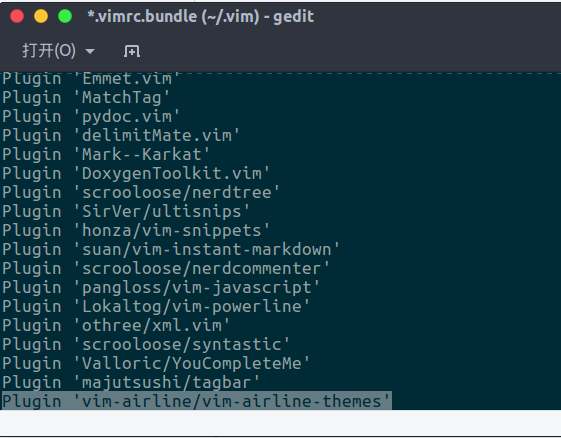
Personally I think adding this to the default config file:
Plug ‘vim-airline/vim-airline-themes
is the better move. After that, just restart Vim and update the plugins, and the problem’s gone.
I also noticed my start screen had grown a stupid cow.
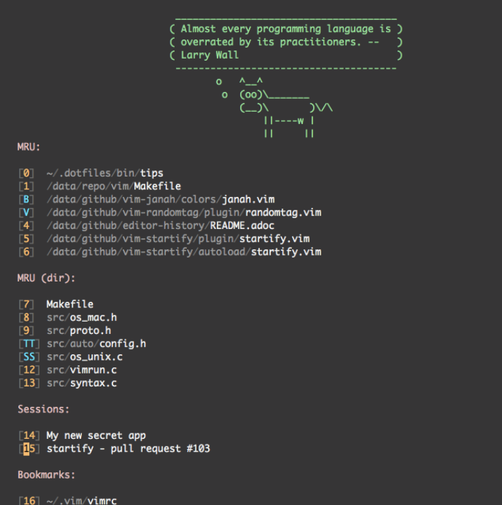
That’s from vim-startify, which added this crap on its own. You have to disable it manually by adding this to your config:
let g:startify_custom_header = []
Save, and you’re done…
Reference: https://github.com/mhinz/vim-startify#installation-and-documentation Error after update #880
Comments are hosted on the Chinese main site. This mirror is read-only.