Using the Papirus icon theme on Ubuntu
papirus-icon-theme is a solid icon theme, and it pairs nicely with the arc-flatabulous theme.
There used to be a PPA for papirus-icon-theme, but the maintainers decided it was too much hassle and stopped maintaining it.
Right now you can install it the way the official docs suggest, straight from the command line:
wget -qO- https://raw.githubusercontent.com/PapirusDevelopmentTeam/papirus-icon-theme/master/install-papirus-root.sh | sh
The official GitHub also lists install methods for the more particular GTK and KDE users out there.
If some dock icons don’t stand out well after installing because of the dock’s color, you can tweak things yourself with unity-tweak-tool.
Once it’s installed, some of the icons in the indicator bar may look downright ugly. Hardcode-Tray takes care of that.
sudo add-apt-repository ppa:andreas-angerer89/sni-qt-patched
sudo apt update
sudo apt install sni-qt sni-qt:i386 hardcode-tray
After installing, switch to your papirus icon theme and open a terminal:
hardcode-tray --apply
Log out and back in, and you’re done. Final result:
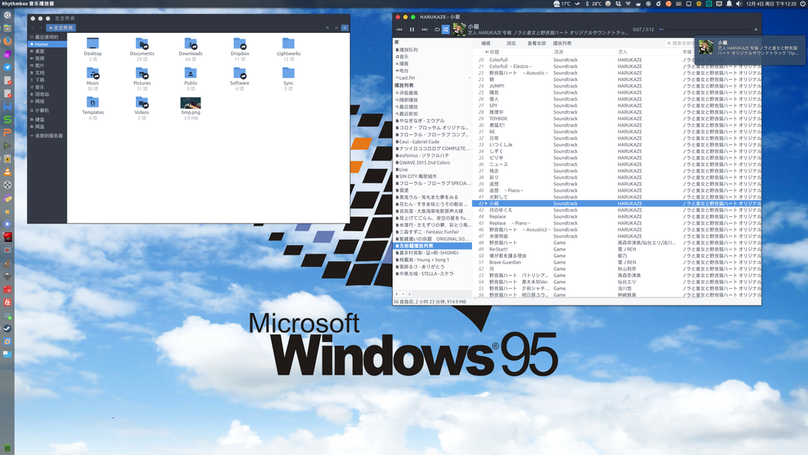
What it does is rescale and monochrome-replace certain icons. Not all of them get fixed, of course, but most is good enough.
Comments are hosted on the Chinese main site. This mirror is read-only.