Configuring libinput on Ubuntu 16.04
Advertisement
I’d set up libinput for my touchpad before, but it came with a pile of problems, so I ended up going back to it recently. Writing down the config process.
sudo apt install xserver-xorg-input-libinput
Advertisement
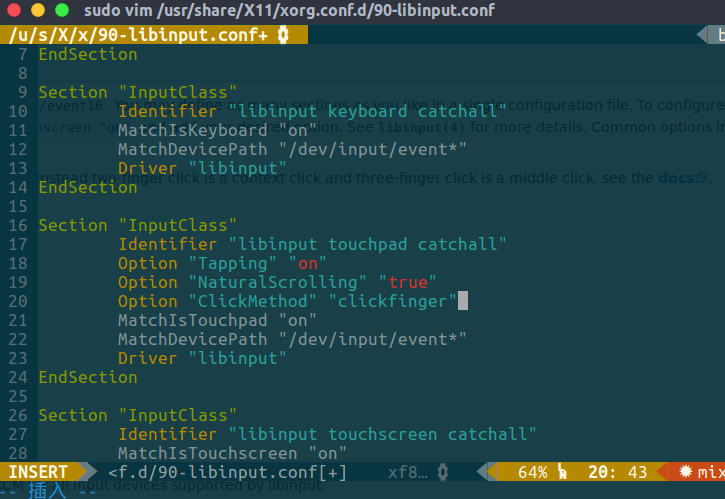
Edit the config and add a few options:
sudo vim /usr/share/X11/xorg.conf.d/90-libinput.conf
Enable touchpad tapping, i.e. a light tap counts as a click.
Option "Tapping" "on"
Enable natural scrolling, the Apple-style kind.
Option "NaturalScrolling" "true"
Click method based on the number of fingers rather than the zone: one finger left click, two fingers right click, three fingers middle click.
Option "ClickMethod" "clickfinger"
Disable the touchpad while typing, which is an indirect way of preventing accidental touches.
Option "DisableWhileTyping" "True"
Best to reboot for it to take effect.
Comments are hosted on the Chinese main site. This mirror is read-only.