Installing Kernel 4.10 on Ubuntu 16.04.2 and Fixing VMware
Advertisement
Linux kernel 4.10 is out, and supposedly it brings a lot of improvements, so let’s take it for a spin:
sudo add-apt-repository ppa:canonical-kernel-team/ppa
sudo apt update
sudo apt install linux-headers-4.10.0-8-generic linux-image-4.10.0-8-generic linux-image-extra-4.10.0-8-generic linux-headers-4.10.0-8
A reboot should do it.
Advertisement
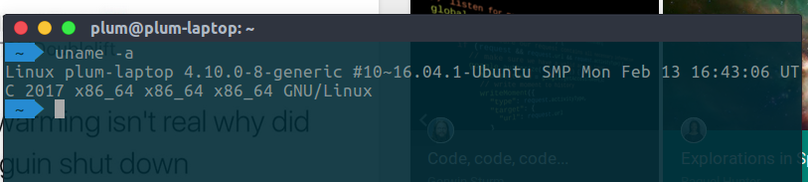
Then you’ll find VMware no longer works — the modules fail to compile again.
After sudo -s, run the following to apply the patch
# cd /usr/lib/vmware/modules/source
# tar xf vmmon.tar
# mv vmmon.tar vmmon.old.tar
# sed -i 's/uvAddr, numPages, 0, 0/uvAddr, numPages, 0/g' vmmon-only/linux/hostif.c
# tar cf vmmon.tar vmmon-only
# rm -r vmmon-only

# tar xf vmnet.tar
# mv vmnet.tar vmnet.old.tar
# sed -i 's/addr, 1, 1, 0/addr, 1, 0/g' vmnet-only/userif.c
# tar cf vmnet.tar vmnet-only
# rm -r vmnet-only
If needed, install gcc6
sudo add-apt-repository ppa:ubuntu-toolchain-r/test
sudo apt update
sudo apt-get install gcc-6 g++-6
By the way, you can also install the latest linux-firmware.
http://packages.ubuntu.com/zesty/all/linux-firmware/download
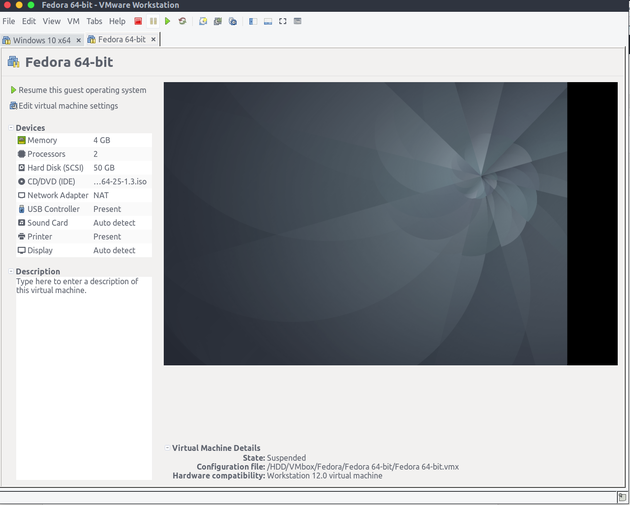
And then everything works fine.
Comments are hosted on the Chinese main site. This mirror is read-only.