Enabling OpenCL for Intel Graphics on Ubuntu 16.04.2
So here’s the deal: LibreOffice has this feature where it supports OpenCL acceleration…
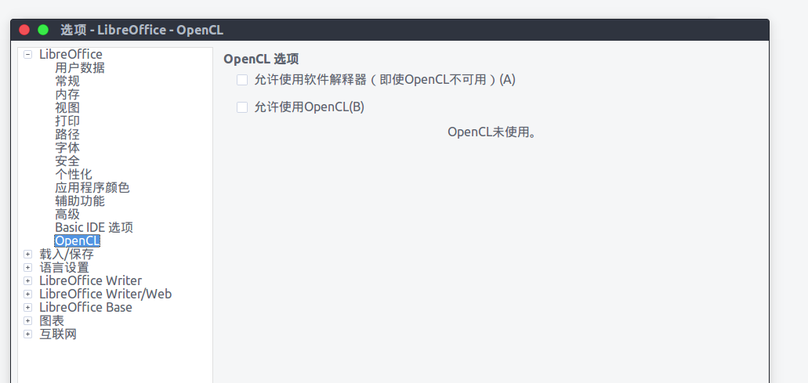
And you can’t turn that acceleration on, because odds are you never enabled OpenCL support in the first place. Even if you tick the box, it just turns itself back off after a restart.
To turn it on you need to install the required packages first, then Intel’s official driver, then edit a config file.
First, install the official packages:
sudo apt install ocl-icd-libopencl1
sudo apt install opencl-headers
sudo apt install clinfo
sudo apt install ocl-icd-opencl-dev
sudo apt install beignet
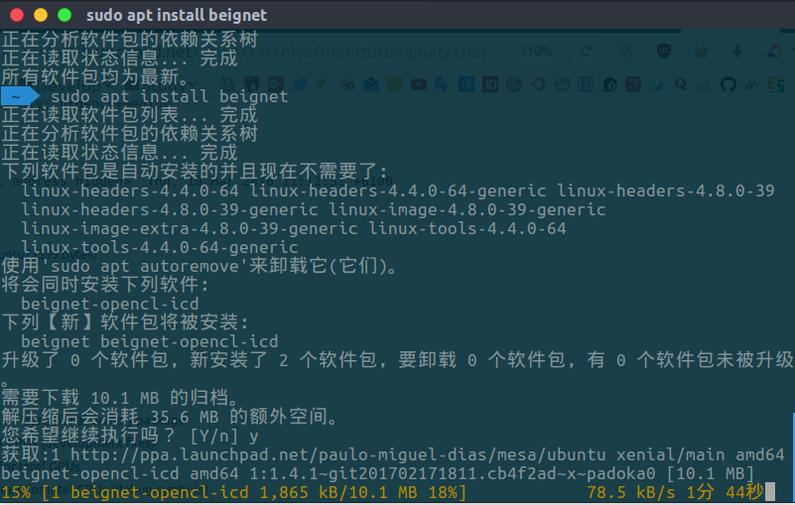
Download the official driver:
https://software.intel.com/en-us/articles/opencl-drivers#latest_linux_SDK_release
sudo apt-get install -y rpm alien libnuma1
Then, in the directory with the rpm:
sudo alien *.rpm
sudo dpkg -i *.deb
There’s no official deb, so convert it yourself.
Last step, edit the config file:
sudo touch /etc/ld.so.conf.d/intelOpenCL.conf

sudo vim /etc/ld.so.conf.d/intelOpenCL.conf
Add:
/opt/intel/opencl-1.2-6.4.0.25/lib64/clinfo
Make the link:
sudo mkdir -p /etc/OpenCL/vendors
sudo ln /opt/intel/opencl-1.2-6.4.0.25/etc/intel64.icd /etc/OpenCL/vendors/intel64.icd
sudo ldconfig
Finally run this and see if it spits out anything — if there’s a bunch of stuff about OpenCL acceleration, it worked:
clinfo
And then you know the drill:
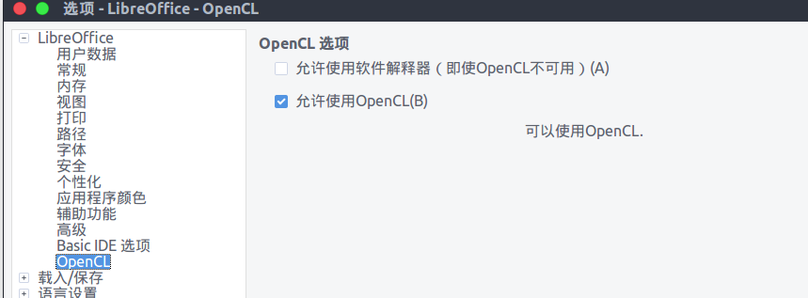
No idea about Nvidia and cards like that — probably works out of the box.
Comments are hosted on the Chinese main site. This mirror is read-only.