Enabling the Alipay Plugin in Firefox 52 on Ubuntu
Advertisement
Starting with Firefox 52, Firefox dropped all NPAPI plugins except Flash.
Which means you can’t use Alipay in Firefox anymore.
Advertisement
Sure, you could open Chrome. But if you hate Chrome like I do, there’s a way to work around it for now.
Go to:
about:config
Right-click, create a new boolean:
plugin.load_flash_only
Set it to false.
Restart Firefox and you’re done.
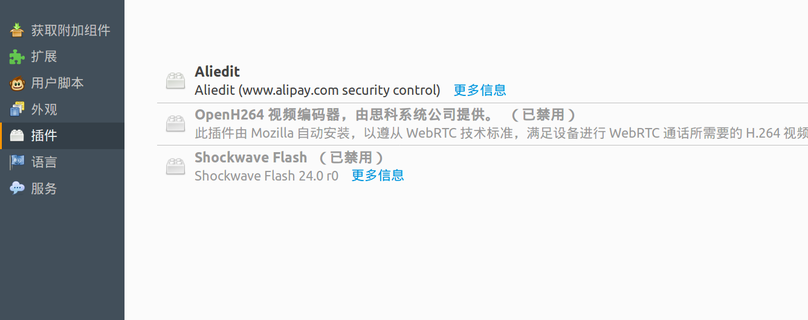
And the reason I call this a “temporary fix” is that supposedly it stops working in Firefox 53.
So, one step at a time. Personally I’m all for Firefox killing off old plugins — I just don’t get why Flash gets to stay. I turned Flash off ages ago.
Source: How To (Temporarily) Re-Enable NPAPI Plugin Support (i.e. Java) in Firefox 52
Comments are hosted on the Chinese main site. This mirror is read-only.