Install the Latest Version of Solaar to Manage Your Logitech Devices
Solaar is a Linux device manager for Logitech’s Unifying Receiver peripherals. It is able to pair/unpair devices to the receiver, and for most devices read battery status.
Installing Solaar on Ubuntu is easy with a deb file, but that build is a bit out of date and missing plenty of new features. So I’d just install the latest version from github manually.
1. Grab the latest code from github
git clone https://github.com/pwr/Solaar.git
2. Install it from your terminal
./setup.py install
If you hit some errors, that means you probably need to install a few dependency packages yourself. Go with APT INSTALL.
3. Fix the access problem
Normally USB devices are not accessible for r/w by regular users, so you will need to do a one-time udev rule installation to allow access to the Logitech Unifying Receiver.
./rules.d/install.sh
4. Unplug your Unifying Receiver, plug it back in, run solaar from the launcher, and enjoy
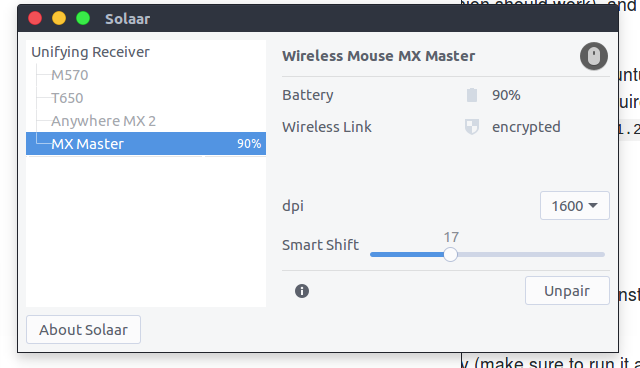
Yep, the MX Master is supported now.
Comments are hosted on the Chinese main site. This mirror is read-only.