Fixing firmware errors for the Intel graphics driver
Advertisement
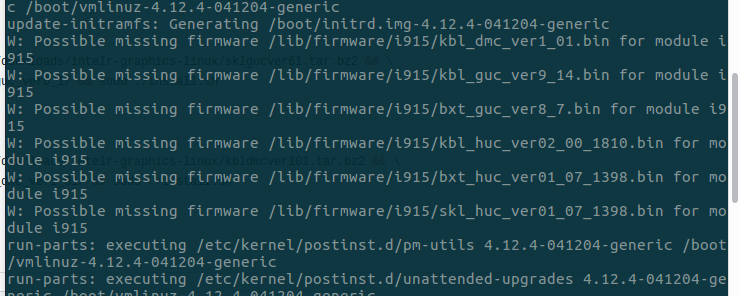
When I upgraded my Ubuntu kernel, I got these errors:
Advertisement
W: Possible missing firmware /lib/firmware/i915/kblXXXXXXXX
Looks like some firmware files are missing, so I decided to fix them.
Someone wrote a script for this problem, but unfortunately it didn’t work for me. Still, his work gave me a good lead, and I eventually got it sorted.
From the errors we know the missing files are:
Kaby Lake DMC Kaby Lake GUC Broxton GUC Broxton HUC SkyLake HUC
So go to Intel’s official website, grab them, and install.
SkyLake HUC https://01.org/zh/node/5098
Broxton HUC https://01.org/zh/node/5094
Broxton GUC https://01.org/zh/node/5090
Kaby Lake GUC https://01.org/zh/node/5093
Kaby Lake DMC https://01.org/zh/node/4211
See more https://01.org/zh/linuxgraphics/downloads?langredirect=1
Extract the package and install with
sudo ./install.sh
Done!
Comments are hosted on the Chinese main site. This mirror is read-only.