Fixing OnePlus 5 ADB Connection Failure
Advertisement
Recently I ran into a problem with my OnePlus 5: I plug it in, turn on USB debugging, run adb devices, and the list is empty!
Tried everything, but the phone just would not show up in adb devices.
Advertisement
Eventually I found the fix: first run lsusb to look up the phone’s ID:
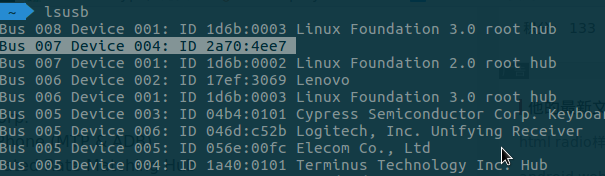
The one with no name is it. No idea why it has no name — maybe that’s exactly why it can’t be found.
Then create a file:
gedit ~/.android/adb_usb.ini
and write the phone’s hardware ID into it:
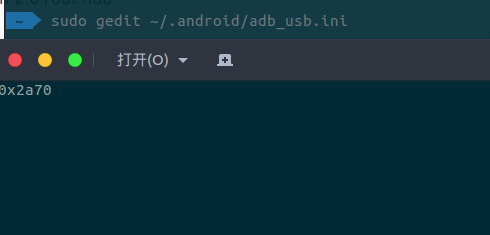
The format is a leading “0x” followed by the first four digits of the ID.
Run adb devices again and the device shows up — unauthorized, but just check the phone screen and tap allow.
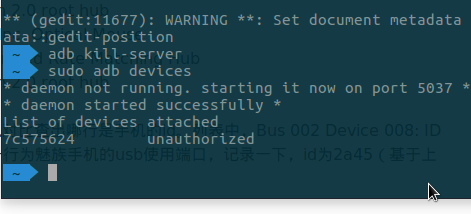
Problem solved. Still no clue why it worked before and doesn’t now.
Comments are hosted on the Chinese main site. This mirror is read-only.