Undervolting the X1 Carbon's CPU on Linux
The ThinkPad X1 Carbon’s CPU has a 75°C power wall and a 25W TDP. If you want to squeeze more performance out of it, besides improving the cooling, the other option is undervolting the CPU.
On Windows there are plenty of ways to undervolt — Throttlestop, Intel XTU, and so on — but on Linux, not so many.
Not that there aren’t any, though.
sudo apt install msr-tools
sudo modprobe msr
git clone https://github.com/xdever/linux-intel-undervolt-tool.git
cd linux-intel-undervolt-tool
sudo bash ./install.sh
And with that the auto service is installed. You can change how much to undervolt in this config file — the unit is -mv, and the number should be negative.
sudo vim /etc/undervolt.json
Before changing anything you can test it, say by dropping the voltage 50mv on each.
sudo undervolt -cpu -50 -gpu -50
Foreigners testing their i5-level Carbon could drop 100mv, but mine is an i7 7600U, and it maxed out at 90mv — which wasn’t even stable. From what I saw, around 80mv is the sweet spot.
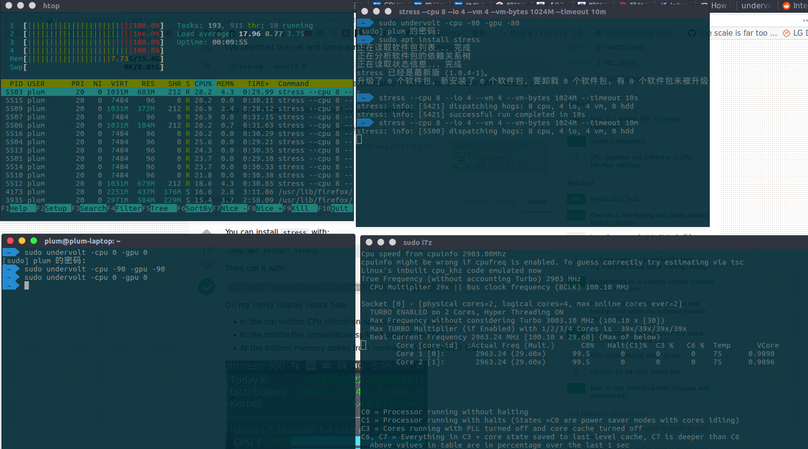
But does it help? Somewhat. Here’s a full-load test with no undervolt, already throttled.
And here’s the run after undervolting — the clocks are a bit higher.
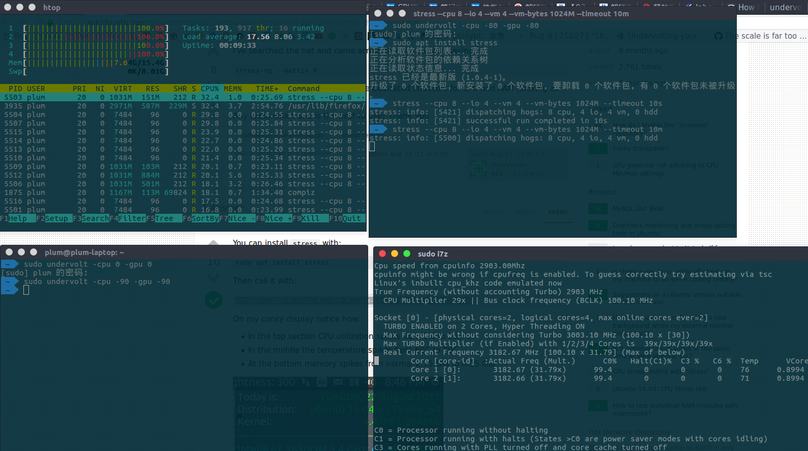
Theoretically 80mv should hold steady. Whether it degrades the chip over time I don’t know — this was just a test anyway, and I disabled it afterward.
Because honestly I don’t think I need that much performance right now. I was just messing around.
Related links: https://blog.mthode.org/posts/2018/Jan/undervolting-your-cpu-for-fun-and-profit/ https://github.com/xdever/linux-intel-undervolt-tool https://github.com/mihic/linux-intel-undervolt
This article is outdated; there’s a more convenient method now: /archives/7905/
Comments are hosted on the Chinese main site. This mirror is read-only.