Living with Black Domain Activator
Black Domain Activator
Black Domain on Android is an app that kills rogue apps, aiming for “an Android experience just like iOS.” That’s a bit different from Greenify — Greenify feels more academic, while Black Domain is more practical.
I paid for both. In the end I went with Black Domain.
Black Domain works without root too. You just have to turn on USB debugging and type a command to start one of its processes. Calling it a hassle is fair, and calling it convenient is fair — basically, every time your phone reboots, you have to find a computer to activate it…
So the author of Black Domain had an idea: make a “Black Domain Activator.” It’s a collaboration with some gamepad adapter, but using it is fine anyway, and it’s cheap.
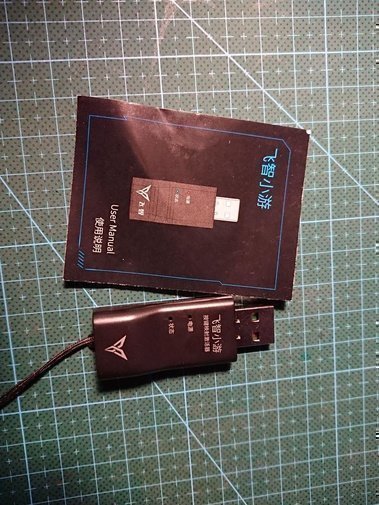
How do you use this thing? One end connects to your phone with a USB cable, the other end connects to a charger for power…
I tried powering it from a power bank, and it works — meaning you don’t need a wall outlet.
According to the manual, after a reboot you power one end and plug the other into the phone, and you can activate it from the Black Domain interface…
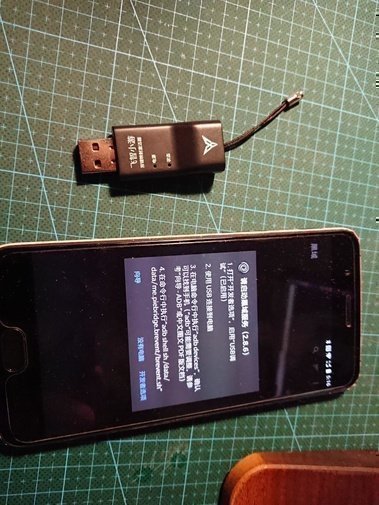
Except that didn’t happen… it just kept asking me to confirm USB debugging permissions and popping up an APK download.
Actually, one important step is missing: install the official Black Domain activation plugin… officially called “Black Domain Activation Assistant.”
A tiny APK. After installing it, you must reboot, then try again… success!
Seems pretty handy, then. Don’t install the official 飞智 app — that breaks it.
Official tutorial: https://www.jianshu.com/p/9fee93554974
Comments are hosted on the Chinese main site. This mirror is read-only.