Python 3 Completion in Vim
First off, the Vim that ships with Ubuntu 14.04 doesn’t support Python 3. Run:
vim --version | grep python
and you get:
-python3
Two ways around it: compile it yourself with the right flags, or just use a ready-made PPA:
sudo apt-add-repository ppa:pi-rho/dev
sudo apt-get update
sudo apt-get install vim
After installing, don’t forget to run that command again and check whether python3 has turned into a plus sign.
The latest jedi supports Python 3, so completion built on jedi is viable.
First install jedi. See the official instructions for how; whether you use virtualenv is up to you. I just installed it system-wide.
sudo pip3 install jedi
Next, install the jedi-vim and neocomplete plugins for your vim. In your vim config, neocomplete is the main act, with jedi-vim alongside it:
You can copy neocomplete’s Configuration Examples as-is. A few things to watch out for:
Replace:
autocmd FileType python setlocal omnifunc=pythoncomplete#Complete
with:
autocmd FileType python setlocal omnifunc=jedi#completions
Then add the following lines, if you don’t already have them:
let g:neocomplete#enable_auto_select = 0
let g:jedi#popup_select_first=0
set completeopt=longest,menuone
let g:jedi#auto_vim_configuration = 0
let g:jedi#popup_on_dot = 0
if !exists('g:neocomplete#force_omni_input_patterns')
        let g:neocomplete#force_omni_input_patterns = {}
endif
let g:neocomplete#force_omni_input_patterns.python = '\%([^. \t]\.\|^\s*@\)\w*'
The most important bit: jedi-vim conflicts with the Python-mode plugin bundle. Disable the latter, and pull out whichever pieces you actually need and install them separately.
If you get an error on startup:

that means Vim is having trouble calling into lua support. Inside Vim, run:
:lua print('KThentai')
and you get:

Some searching told me it’s the missing libluajit-5.1.so.2 file. No idea when it went missing. Just put it back:
sudo apt-get install libluajit-5.1-2
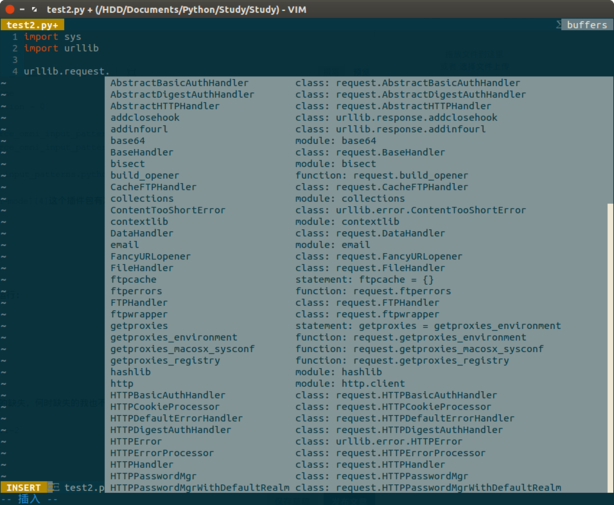
And then Python 3 completion works fine in vim. So far everything’s normal except for a few statements under PyQt5 that don’t complete.
Comments are hosted on the Chinese main site. This mirror is read-only.