Change Ubuntu Unity DateTime Format
Advertisement
On Ubuntu Unity 18.04, the default datetime format is pretty weird.
If you enable the weekday display, it shows “三” instead of “星期三”.
Advertisement
So you have to change it.

Install dconf Editor
sudo apt install dconf-editor
Launch dconf-editor and go to:
com -> canonical -> indicator -> datetime
Open “custom time format” and change it to:
%A %l:%M %p
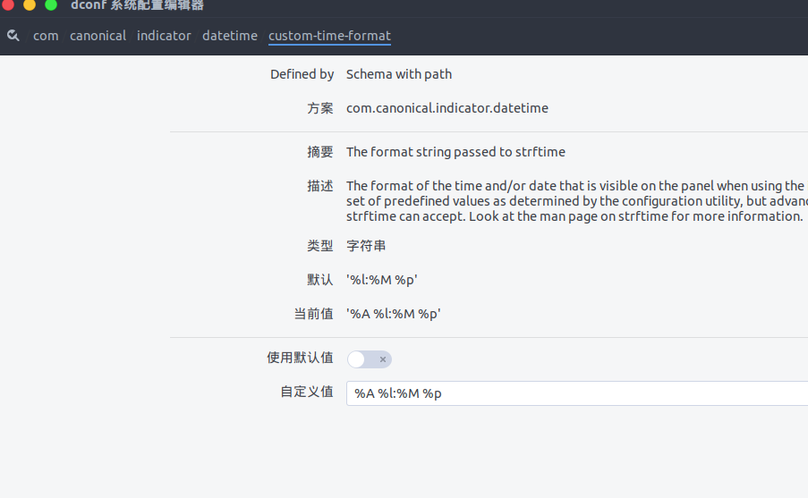
Open “com -> canonical -> indicator -> datetime -> timeformat” and set it to:
custom
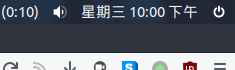
Done!
Comments are hosted on the Chinese main site. This mirror is read-only.