Hands-on: TrackPoint Cap
Using a TrackPoint Cap to Fix Your Red Nub's Feel
Starting with the ThinkPad X240, the TrackPoint got thinner, and the feel got worse too. It lost that “point where you want, go where you point” convenience of the original ThinkPad X230.
Honestly there’s not much to be done about it — laptops have to get thin, and this is hard to balance. By the time the ThinkPad X1 Carbon 5th came along, the TrackPoint’s size got even more awkward. Still, the TrackPoint’s advantages are irreplaceable, so I just put up with it.
Naturally, a Japanese guy named さおと (saoto) wasn’t having it, and decided to solve the problem with 3D printing. I found out about saoto from a Taiwanese friend’s blog.
He made his own little TrackPoint cap to replace the stock one, and it’s said to greatly improve the feel, so I decided to give it a try.
saoto has released the 3D-print files for his cap design, but you can also buy one from him, and the price isn’t especially steep. What arrives is a plain envelope from Japan.
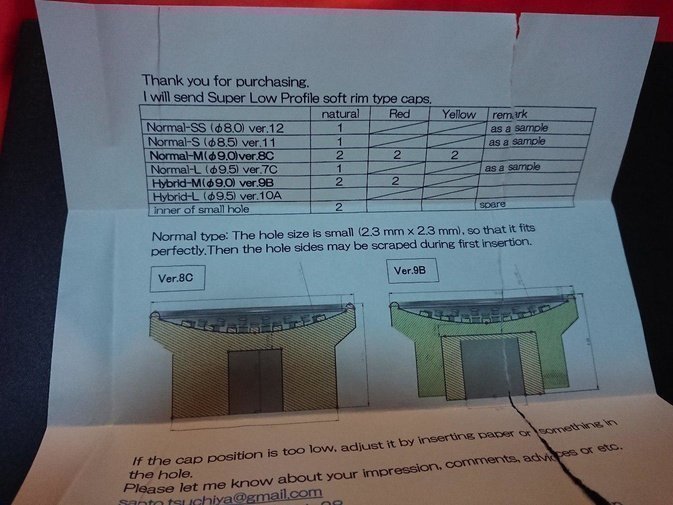
When you open the envelope, be careful not to just tear it apart — there’s an instruction sheet inside…
The sheet explains the design concept behind the cap in detail, plus the various versions included, covering both the old-style and new-style TrackPoints.
You get versions in various colors — red, yellow, white. Personally I still like red.
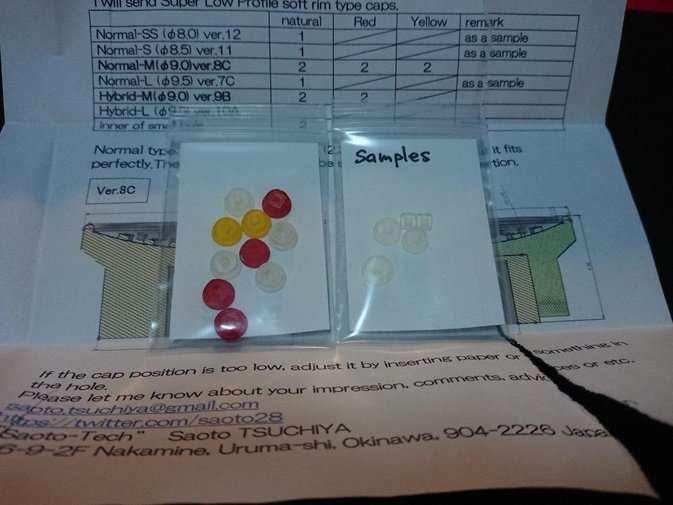
After testing a few versions, I think this one is the best.
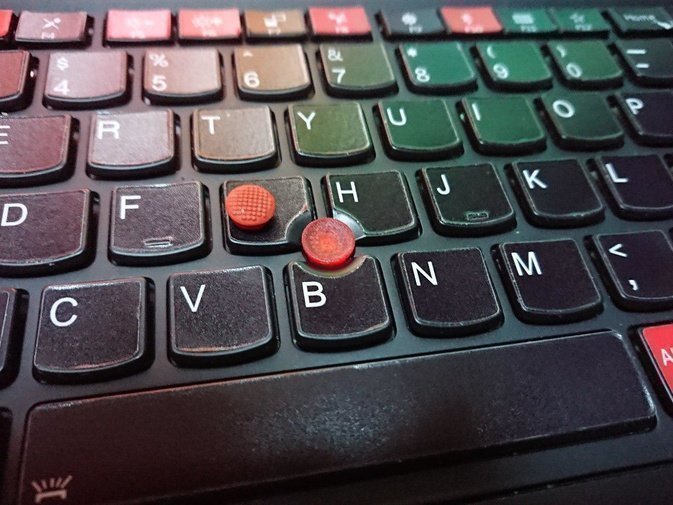
The last question, and the one that matters most: how does it feel?
Two words: fucking amazing!
That “point where you want, go where you point” feel is back. The design is really clever, and it solves a lot of problems. If you’re a ThinkPad user too, I highly recommend buying one.
Comments are hosted on the Chinese main site. This mirror is read-only.