Fixing the "SIM Card Not Found" Issue on the ThinkPad X1 Carbon EM7455 4G Modem
I got a 4G modem for my ThinkPad X1 Carbon: the EM7455.

Sure enough, it kept telling me “SIM card not found.” Not that it was completely unusable—it just had a hell of a time recognizing the SIM. At first I figured it was a firmware issue, then I wondered if the card I’d bought was an engineering sample. Later I looked around and found plenty of confused foreigners too:
There are all sorts of threads on Lenovo’s own forums with the exact same problem: put the SIM in, and it isn’t recognized.
One guy even claimed to have found the cause:
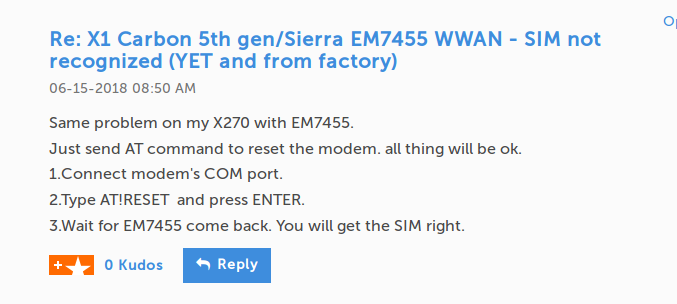
Just as I was about to give that a shot… I saw something in the reviews of an eBay seller hawking EM7455 modems:
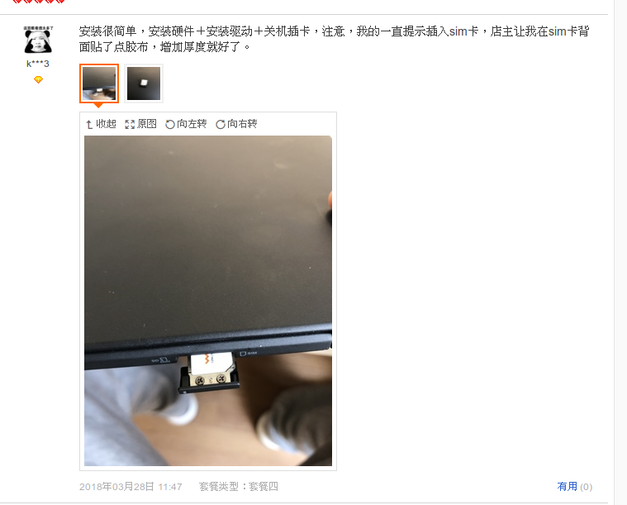
I tried it half-doubting… stuck a bit of tape on the back of the SIM card to shim it.
Problem solved! My 天王卡 finally works!
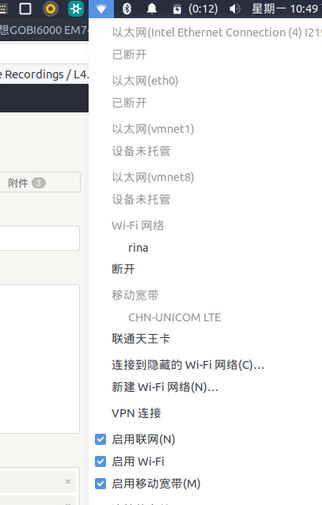
So a problem that plagued users worldwide for that long came down to nothing more than the ThinkPad’s own SIM tray being too loose…
Fucking stupid! I’m losing my mind!
Comments are hosted on the Chinese main site. This mirror is read-only.