Installing Windows 10 on the HP Stream 7 and Restoring the Factory Image
The HP Stream 7 is a 7-inch Windows 8 tablet, shipped with Windows 8 with Bing preinstalled. Nothing really wrong with that, but when a new Windows 10 build drops, the hands get itchy.
Verdict up front: the HP Stream 7 can run Windows 10, and you can painlessly restore it to the factory state afterwards.
So let’s get started.
First you need a Windows 10 image and a USB stick, and you burn the stick into a Windows 10 installer.
Then you need to get the Windows drivers for the HP Stream 7. The official support site somehow refuses to display them, but it’s not hard — you can find everything through Google.
These drivers are mandatory:
- SP69306.exe - Intel Chipset, Graphics, Camera and Audio Driver Package.
- SP69309.exe - Realtek HD Audio Driver
- SP69310.exe - Realtek RTL8723BS Wireless LAN Driver

- SP69353.exe - Realtek RTL8723BS UART Bluetooth Driver (available here)
- SP69308.exe - Kionix G-Sensor Enabling Driver
- SP69305.exe - Goodix Touch Control Driver
Dig through HP’s FTP for the actual downloads:
ftp://ftp.hp.com/pub/softpaq/sp69001-69500/
Once you’re set, you can start the install. You’ll need a USB OTG cable and a USB hub, with keyboard, mouse and the installer stick all connected at once.
The most important thing: make sure the battery is full, because you can’t charge while installing.
Power the machine off, hold Power + Volume Down to enter the BIOS, pick the name of the USB disk, and boot the Windows 10 installer.
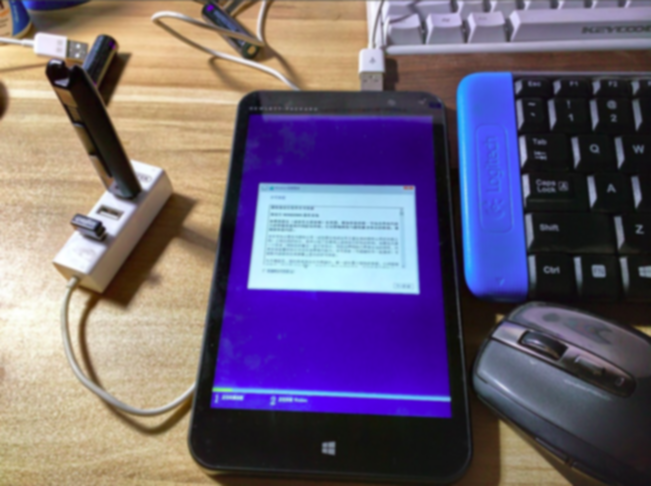
You can wipe the entire storage, or keep a bit of it, or even make extra partitions — whatever, you’re installing Windows 10.
When the install finishes, don’t yank the USB OTG cable yet. Boot into the system, swap in the USB stick loaded with drivers, and install them one by one, start to finish. Skip that and you won’t even have a working touchscreen.
Once the drivers are in, things should be normal and you can enjoy the benefits of Windows 10.
And soon enough you’ll discover that the foreigners’ claim “Windows 10 running on HP Stream 7 is blazing fast” was a load of crap aimed straight at your mouth. Unfortunately your arms are too short to reach the guy who lied to you, so you just sit there figuring out how to put the system back.
You could do the same thing in reverse: make a Windows 8 stick and install it the way you installed Windows 10. But for a terminal case of perfectionism, that’s unbearable.
The factory system is supposedly WIMBoot: light, fast, convenient, legit, and with a free year of Office 365 thrown in.
So here’s the undo pill:
http://pan.baidu.com/s/1o6uU1HS
Download it, extract to a USB stick, boot it the same way you booted the Windows 10 installer, go into Troubleshoot, pick Reset Whole Device, next, done.
Again: charge it fully first!
When you boot up you’ll find it’s in English. Not a problem — it’s 2015, adding language support is child’s play for Windows.
Finally, some pros and cons of the HP Stream 7 versus other cheap tablets:
Pros:
Small! 7 inches! Touch works fine! No drift! HP actually supports it after sale — a bit better than the no-name tablets you throw away once they die! Performance is OK!
Cons:
Big white screen, blinding. “Performance is OK” is predicated on single-tasking. 1 GB of RAM.
Comments are hosted on the Chinese main site. This mirror is read-only.