Enabling Bluetooth APTX / LDAC Support on Ubuntu Linux
One thing has been holding me back from buying Bluetooth headphones: my Linux laptop doesn’t support Bluetooth APTX. Later Sony open-sourced LDAC, but those open-source devs are still too busy arguing about whether the code is “orthodox” to actually ship anything.
Progress on APTX and LDAC support under Linux has been ongoing — some of it reverse-engineered, some of it code integrations — but none of it got merged upstream, because they’re still bickering.
And at this point APTX has already been reverse-engineered, the LDAC source has been released, and it’s even been merged into ALSA, while PulseAudio still hasn’t moved. That makes no sense.
So finally someone from China took action. Respect.
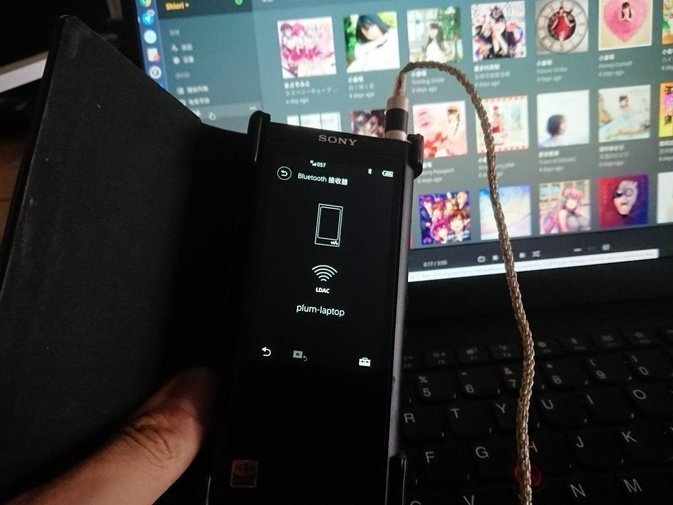
Thanks to mainland Chinese developer EHFive, who released a working pulseaudio-bluetooth module with LDAC and APTX support integrated.
https://github.com/EHfive/pulseaudio-modules-bt
All you have to do is compile and install this module on your system, restart PulseAudio, then pair your Bluetooth device.
Arch Linux users can install the module through the AUR.
https://aur.archlinux.org/packages/pulseaudio-modules-bt-git/
Ubuntu users can just install the deb packages directly. (The DEB build script is here.)
https://files.catbox.moe/i1tsk1.deb https://hako.kengdie.net/s/d5RbiGbdmR9CN7y https://box.kengdie.net/s/d5RbiGbdmR9CN7y (any one of these links)
Or use the PPA:
# Ubuntu 18.04, 18.10
sudo add-apt-repository ppa:eh5/pulseaudio-a2dp
sudo apt-get update
sudo apt-get install libavcodec libavutil libldac pulseaudio-module-bluetooth
Once it’s installed, restart your PulseAudio:
pulseaudio -k
pulseaudio --start
Then pair your Bluetooth device and enjoy. Tested and working on Ubuntu 18.04.
Comments are hosted on the Chinese main site. This mirror is read-only.