ThinkPad X250
Buying a ThinkPad X250: The Non-Touch Top Spec Model
I use my own laptop for work. It’s not that the desktop machines at the office are bad, they’re just a hassle to use. Over a year ago I bought a ThinkPad X230, and using it since then I’ve really come to appreciate how good ThinkPads are. If something goes wrong you can just find the parts yourself and fix it. Honestly, even if you smashed it, I could buy some bits on eBay and put it back together for you…
Over the past year or so I’ve replaced the screen, messed with the cooling, and the machine runs fine. But there were still a couple of things that bugged me. One, the screen was the cursed 1366 x 768. Two, the battery life was bad. Even with a 9-cell I could only push power draw down to 11W at best, and it would randomly spike to 20W…
So when I heard the ThinkPad X250 was announced and that it brought back the original trackpad, I just bought it.
Why not a Mac? Because I don’t use OSX, and I think putting Ubuntu on an RMBP is too much hassle.
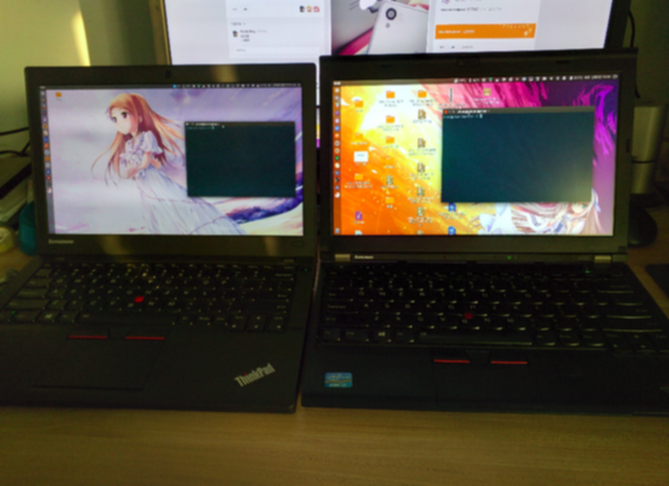
For X250 vs X230 comparisons you can just look up ThinkPad X240 vs X230 comparisons online. Why do I say that? Because the X250 is just the X240 with a revised trackpad and a new architecture. That’s it. In the picture the X250 is on the left and the X230 on the right. I know you can’t see clearly, and I didn’t intend for you to. There are HD photos all over the internet.
Basically it’s about the same size as the X230:
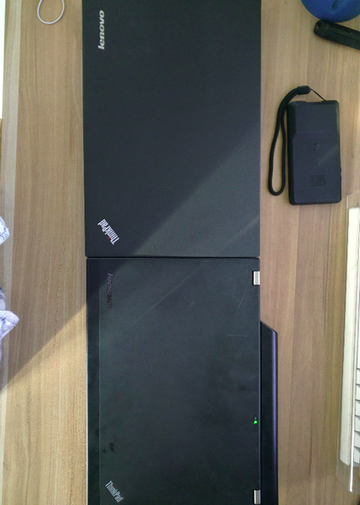
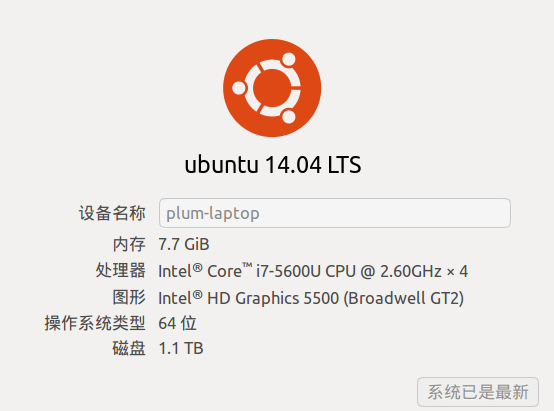
So I bought the i7 5600U / 8G RAM / 500GB / FHD non-touch version.
Appearance
The X250 is noticeably thinner and lighter than the X230. I like the boxy look. The color isn’t as black as the X230, but the gray-black suits my taste better. More importantly, the little red ThinkPad light on the lid replaces the old battery and sleep status lights on top, and it breathes to tell you whether it’s sleeping or charging. Looks great.
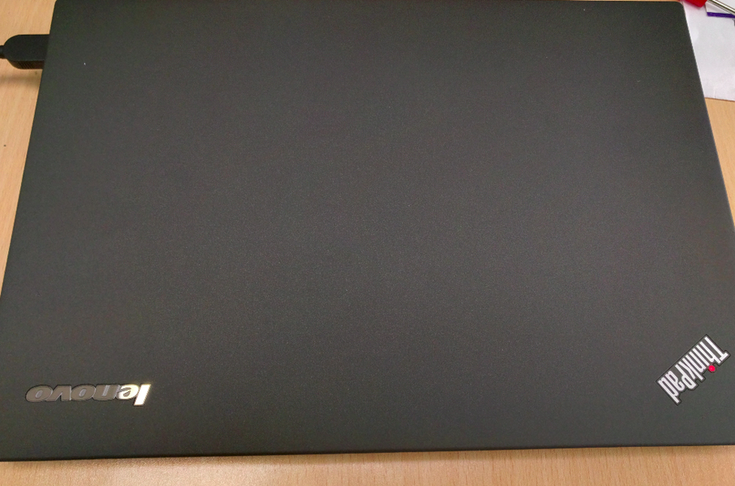
But here’s the thing to complain about: even though the body is thinner, it ships with a 6-cell battery, and once it’s plugged in it still sticks out, turning the battery into a kickstand. The end result is that the whole thing sits at the same height as the X230 anyway…
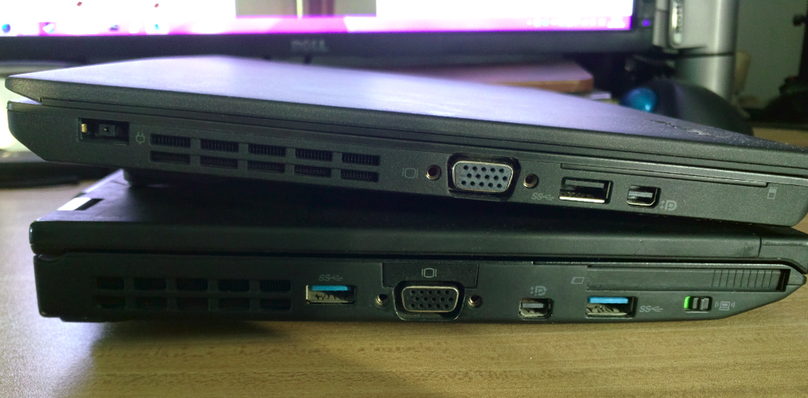
Of course you can buy a 3-cell battery to reduce the thickness, you’ll just lose some battery life.
Keyboard
The X250’s keyboard feel is a step down from the X230. How to put it — the X230 was a chiclet keyboard, but it was the best-feeling chiclet keyboard I’ve ever used, because the key travel was long. The X250 shortened the travel to slim down the body, and the rebound is weaker. The whole keyboard feels softer, somewhat like Apple’s MacBook Pro, but still a bit better than the MacBook Pro. If I’d give the ThinkPad X230 keyboard an 8, and the MacBook Pro keyboard a 6, then the ThinkPad X250 keyboard only gets a 7. Even so, the X250 still has the best-feeling laptop keyboard right now, even if it’s not as good as the old keyboards and the X230…
The function keys all default to the function buttons, meaning Apple-style: the key says speaker and pressing it mutes, not F1 F2. You need to hold FN. Don’t rush to curse it though — press FN+ESC to lock the FN key, and then they default to F1-F12. That setting even persists across shutdown and boot. The FN key is on the outside, but there’s a BIOS option to swap it with Ctrl, so none of this is a problem.
Another thing that annoys me: the media playback keys are gone from the function row, so I have to set my own shortcuts.
Trackpad
The X240’s trackpad merged with the TrackPoint got absolutely roasted, so the X250 went back to physical TrackPoint buttons. Compared to the X230 these physical buttons also have shorter travel. Sure, I get it, thin body. With physical buttons the TrackPoint is no longer a problem, and I also found the trackpad very usable — I ended up using the trackpad instead of the TrackPoint a lot of the time. Seems like users who don’t like the TrackPoint wouldn’t complain too much about the X240 either.
By the way, the X240’s trackpad module is interchangeable with the X250’s. If you’re annoyed that the X240 has no TrackPoint buttons, you can buy an X250 one on eBay and swap it in. Same goes for the T440.
Adding an SSD and expanding storage
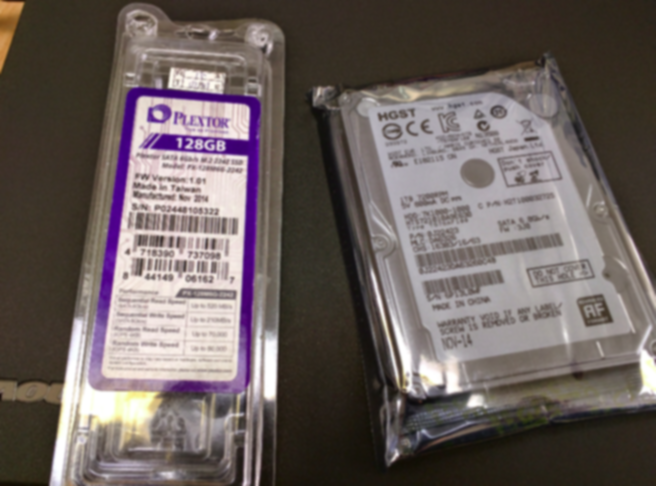
The X250, like the X230 and X240, supports dual drives: one internal SSD and one SATA storage drive. Same as the X240, the interface is a 42mm NGFF. The largest capacity you can buy right now is Transcend’s 256G, but the controller is unknown. Some say it’s fine, some say it’s a ripoff. More importantly, someone said they bought one and it died. Considering I only run Ubuntu as a single system, 128G is plenty, so I ended up buying a Plextor 128G M6G 2242.
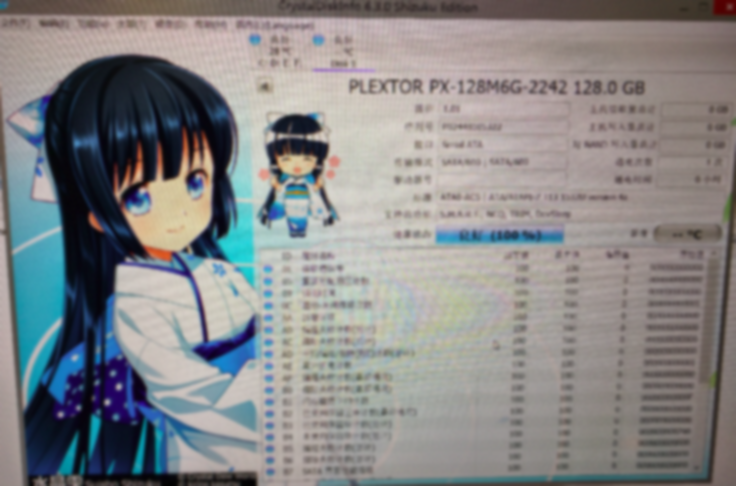
Unlike the X230, the X250 requires opening the bottom cover for upgrades, and it supports 9.5mm drives. I went straight for a Hitachi 7200rpm 1T. I originally wanted to look at hybrid drives, since any improvement helps, but it turned out hybrid drives are all 5400rpm plus an SSD module, which is worse than just going 7200.
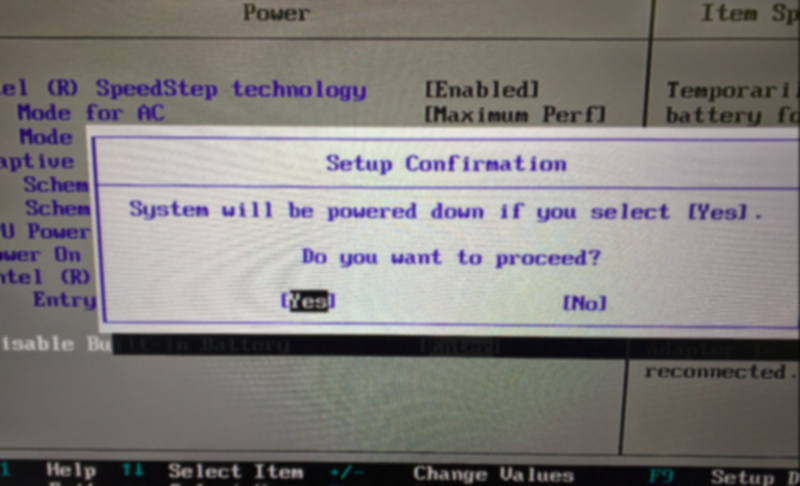
The ThinkPad X250 has an internal 3-cell battery, so before opening the machine you must go into the BIOS, find the option to disable the battery, and confirm. Only after the machine is properly powered off can you open the case.
Disassembling the X250 is identical to the X240; search online for details. Replacing the SSD and SATA drive is also easy — find the spots, open them up, swap.
In the end storage comes to 1T + 128G.
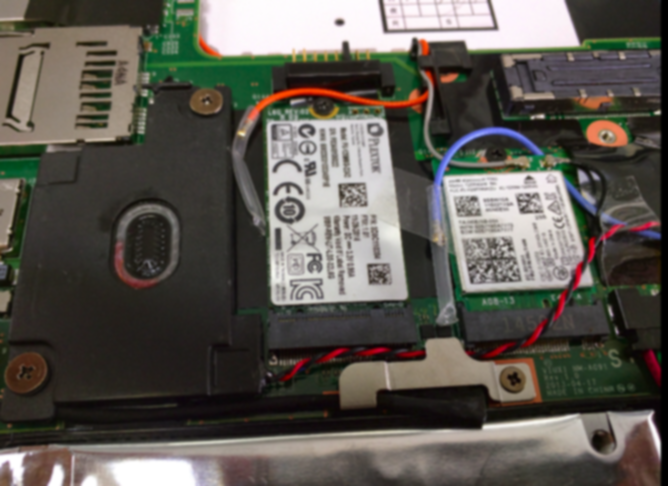
In the picture, the SSD is on the left and the wireless module on the right — which is the next thing we’ll talk about.
Wireless card upgrade
The X250 no longer ships with the same godawful Realtek card as the X230; it’s an Intel 7265 NG. Sounds fancy, right? You’re wrong. This is a version that doesn’t support AC, or even dual-band. Personally I think it’s a cut-down version, because if you search the whole internet, everything tells you the 7265 is a dual-band card. Who the hell would think there’s a cut-down version of this thing? At first I kept thinking my wireless driver wasn’t installed properly. Only after checking the official site and the FRU list did I understand the trick.
The card doesn’t support dual-band. What to do? Replace it!
But wait before you swap. eBay is full of 7265 AC dual-band cards, some even labeled with FRUs, but most are ES test samples and a few are QS final-confirmation samples. Getting a production version is extremely hard.
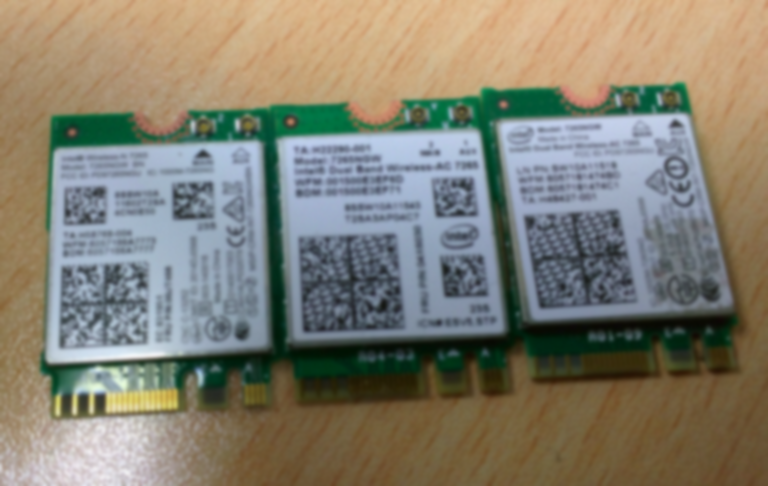
From left to right: the official 5G cut-down version, the ES engineering-sample ripoff version, and the production version.
My advice: not upgrading the card is fine, and there’s no need to buy the ES version. The ES version is a ripoff — the 5G signal is unavailable most of the time.
I need to advertise here: I bought this production 7265 from this eBay seller. The seller was very helpful, explained all the differences between the cards in detail, and provided comparison photos. And, well, the seller has a bit of a ditz streak, very cute…(・∀・)
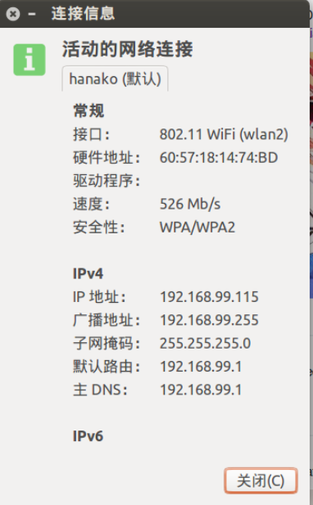
After finally swapping in the production version, connecting to an AC router works great.
Dock
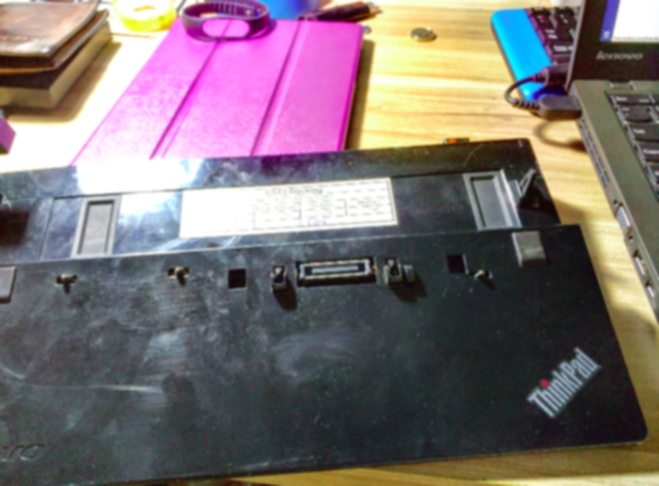
The X250 is compatible with almost all X240 accessories, including the dock. There are some engineering samples on eBay you can try, but it takes luck. For example, the one I got arrived deformed, so I sent it back for a replacement.
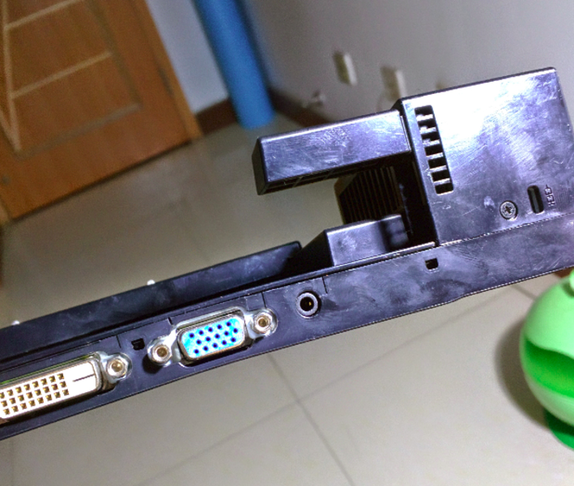
Worth noting: with the X250 in the X240 dock, DVI video output can’t exceed the laptop’s own screen resolution. That is, with my FHD screen connected to a Dell 2412M, it can only output 1080p. The fix is either VGA or a DP cable.
Some X240 docks have an excessive current hum on audio output; details in this link and 17. My first deformed dock had this problem; the replacement hadn’t arrived yet so I don’t know. But if that’s the case… the only fix is an external sound card. You can get a 10-yuan one, or go for a DAC (・∀・).
Portable charger
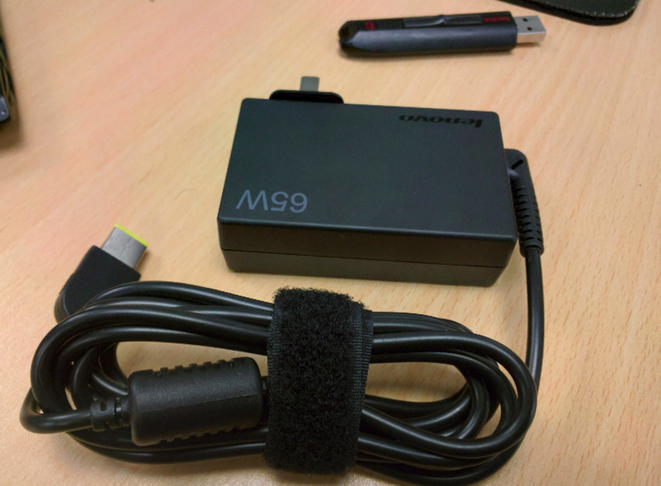
Many people praise Apple’s chargers for being small and portable. Actually ThinkPad has one too — 65W, easy to carry. You just have to buy it separately.
If you don’t have much money you can buy a domestic compatible product. They claim to be better than the original anyway, and there aren’t many bad reviews. I bought the official one to be safe.
Installing Ubuntu
I have to complain that Canonical is really pushing the LTS versions. Installing Ubuntu 14.04.1 LTS gave me far fewer problems than Ubuntu 14.10. 14.10 kept throwing repository errors, while Ubuntu 14.04.1 was much more stable.
After installation the trackpad worked, but the FN combination function keys didn’t. The pointing stick could move, but the left, right, and middle buttons couldn’t click.
The fix is to install the latest kernel. On 14.04, install the 14.10 kernel:
sudo apt-get install linux-image-generic-lts-utopic
After enabling the new kernel, volume can be controlled. Backlight brightness still doesn’t work, but you can set your own shortcuts.
TrackPoint support needs to wait for a new kernel patch. There’s a relevant thread on the Arch Linux forums and relevant bug reports; the problem is already solved there. Whether Ubuntu will update it is unknown, but worst case I can apply the patch myself.
Arch Linux forum thread about the new TrackPoint not working https://bbs.archlinux.org/viewtopic.php?id=192875
Official bug report link: https://bugs.freedesktop.org/show_bug.cgi?id=88609
Of course there are temporary workarounds, like forcing the imps driver in the grub boot parameters.
sudo vim /etc/default/grub
Add at the end of the boot line:
psmouse.proto=imps
It looks like this
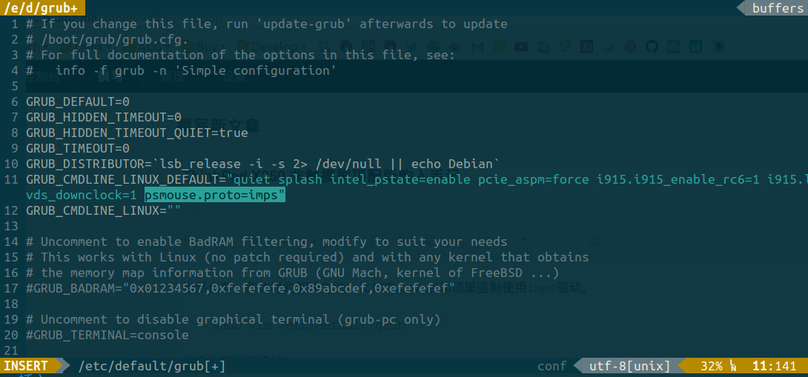
Then update grub and it works, but you lose multitouch on the trackpad. Remember to disable it in the BIOS.
sudo update-grub
As for the middle button not working, just follow the bug fix for Fedora 20 on the X230.
The X250 has an FHD screen. On 12.5 inches, 1:1 pixel mapping is a bit eye-straining. Fortunately Ubuntu 14.04 onward provides decent HiDPI scaling.
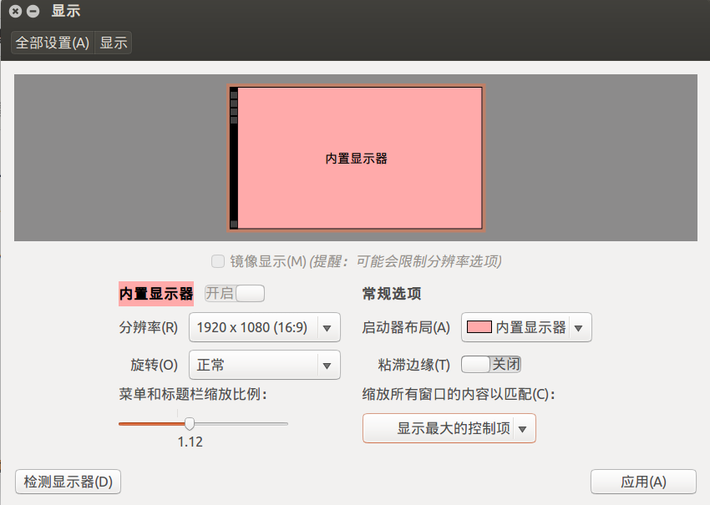
For me 112% is just right. 125% is more standard, but it feels like it might as well be 1440X900.
By the way, this scaling doesn’t affect Firefox. You need to open in Firefox:
about:config
Find the item named Layout.css and such, change it to scale sizes, e.g. 110%
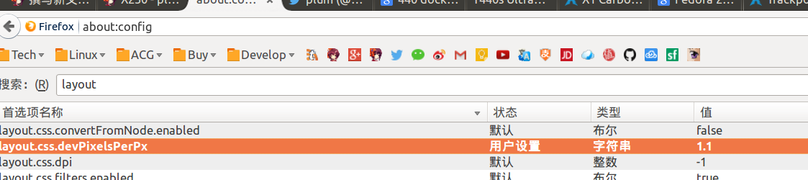
You can use this add-on to auto-scale pages to 110%.
https://addons.mozilla.org/en-US/firefox/addon/default-fullzoom-level/
Battery life
I don’t use Windows, but supposedly the ThinkPad X250’s internal 3-cell plus the external 6-cell should get around 10 hours. On Linux, what you need to improve battery life is TLP. Installing TLP is easy, there’s a PPA:
sudo add-apt-repository ppa:linrunner/tlp
sudo apt-get update
sudo apt-get install tlp tlp-rdw
sudo apt-get install tp-smapi-dkms acpi-call-dkms
Worth noting: the last line installs ThinkPad Only modules.
Actually the default TLP config is enough. If you’re not satisfied you can tweak details, like disabling Turbo Boost on battery, or enabling P-state and limiting the performance percentage.
sudo vim /etc/default/tlp
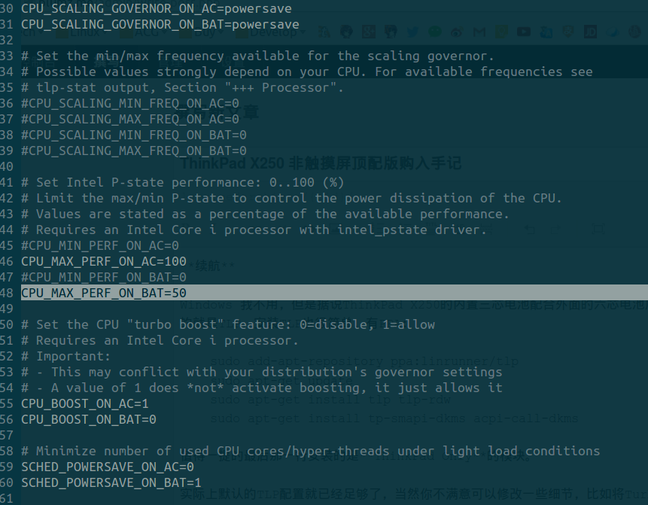
There are other methods too, like fully enabling P-State, or adding a command after Grub to reduce GPU power draw. You’ll have to search for those yourself.
Simply put, the results: if I’m not listening to music through an external amp/DAC, daily browsing draws about 8W-10W; with music through the amp/DAC it’s 13W. The current 48Wh + 24Wh batteries are enough for 6-7 hours of battery life, and in the future you can upgrade to 72Wh + 24Wh batteries for even longer.
I have to say, Broadwell is the shit!
Summary
Overall the X250 balances thin-and-light with performance. It’s still a bit smaller than the MBA13:
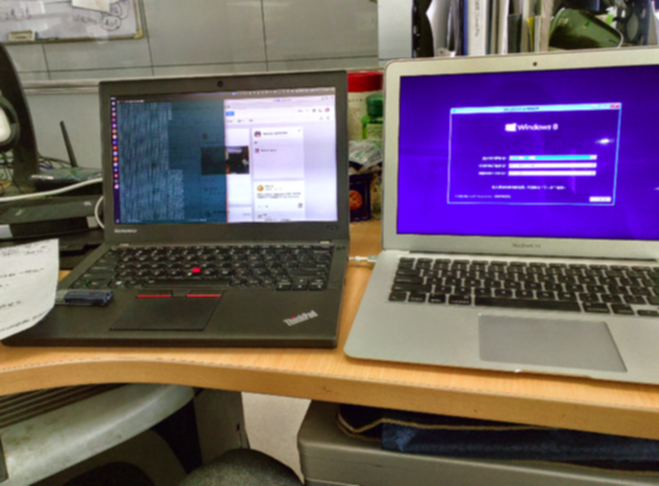
Here’s a weird thing. When the X250 arrived I carefully checked the screen and found no problems. Then on the third day I found a bright spot on the screen. It wasn’t obvious, but it still bothered me. I contacted the seller, who said one spot doesn’t qualify for a replacement. Then something magical happened: the next day the bright spot disappeared…
Then the second night it appeared again, then disappeared again, and it hasn’t come back since. I don’t know if I got lucky or if something’s a loose connection.
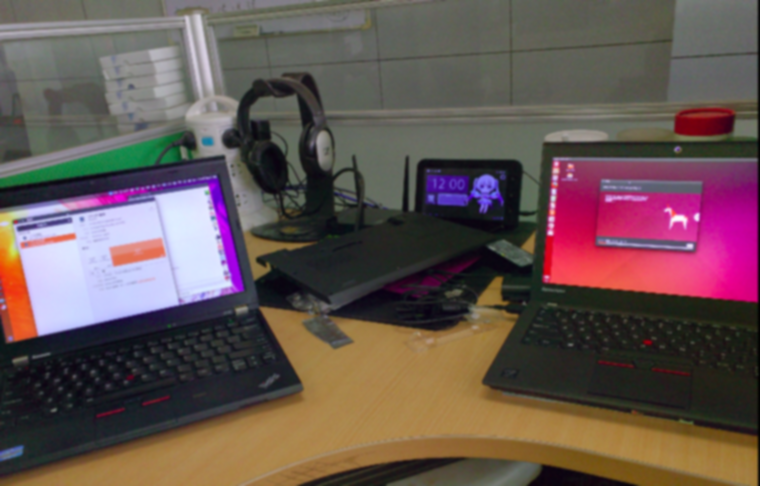
When I bought the ThinkPad X230 I said I’d use it until the ThinkPad two generations later came out, and it seems I did it. The ThinkPad X250 makes me very satisfied right now. The only thing I don’t like is that the RAM maxes out at 8G, not 16G. Nothing else to complain about. Even though it’s ultra-low voltage, the performance already matches or even slightly exceeds the X230, and on top of that the power draw is so low and battery life is a huge improvement. What more could you ask for?
As for how the X230 is doing now?
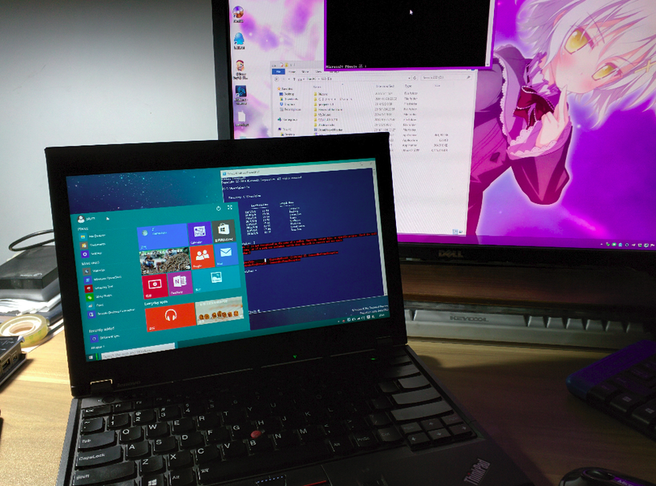
It’s converted to Windows 10 and will continue to serve as my main Windows machine:
Comments are hosted on the Chinese main site. This mirror is read-only.