Fixing Shutter's Screenshot Crash on Ubuntu
Recently, whenever I took a screenshot with Shutter, it would crash the moment it captured anything…

Checked the log, no idea what it was saying…
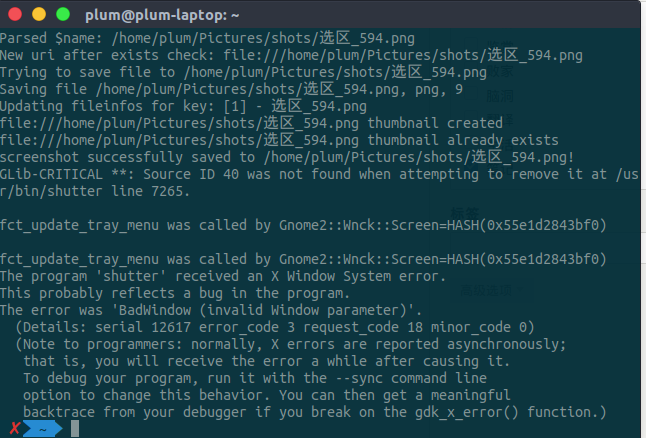
There’s a related bug report too, but it’s just as cryptic, and nobody replied…
https://bugs.launchpad.net/shutter/+bug/1529259
Then I retraced the steps and figured out the problem myself…
First, taking the screenshot was fine. The image showing up after the capture was fine too. Then it would die almost instantly…
So maybe something happening after the image is generated is what kills it?
Then I remembered I also had this thing installed…

CopyQ, a clipboard monitor. I quit it, and Shutter never crashed on a screenshot again…
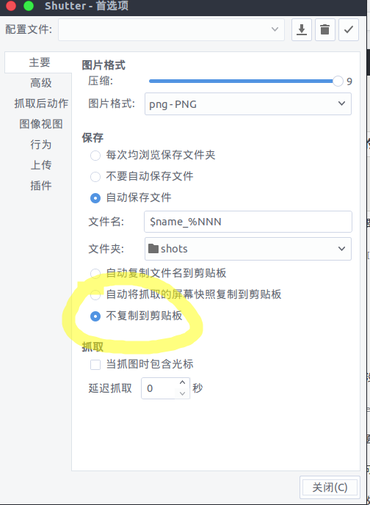
Finally understood what was going on: Shutter automatically copies the screenshot to the clipboard, CopyQ tries to read the clipboard, and that’s what causes the error.
Just disable this feature:
Comments are hosted on the Chinese main site. This mirror is read-only.