Hands-on: Google Pixel 3 XL
Impressions: Google Pixel 3 XL
My previous phone was a Sony Xperia Z Premium. I used it for over a year, close to two years, and Sony recently said it would push out Google’s Android Pie OTA update to that phone too—every version except the Hong Kong one got it. But in the end I decided to replace it, with Google’s flagship phone released this year, the Google Pixel 3 XL. Plenty of people aren’t optimistic about Google’s new flagship—its specs are behind, it looks ugly, and it isn’t exactly cheap either. After using it for a while since it arrived, it really does have quite a few problems, but I’m still fairly satisfied, so I’ll briefly go over my first impressions.
Design:
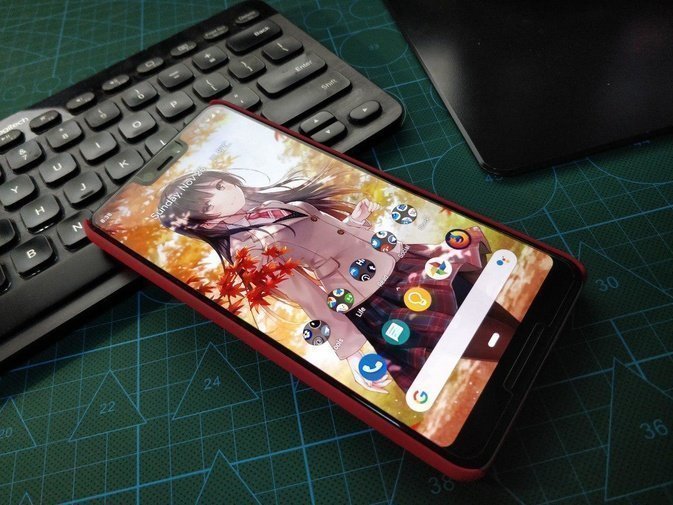
The Google Pixel 3 XL’s design is the most divisive part. That giant notch and the not-exactly-small chin got roasted by people everywhere, and the main reason is simple: it’s ugly.
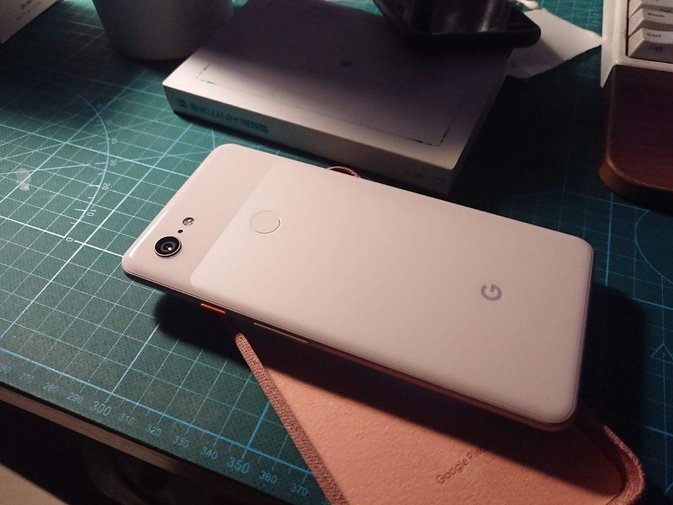
But once I actually got it in hand, I found the look isn’t entirely unacceptable. You can call it Stockholm syndrome, or you can call me good at adapting, but after using it for almost two weeks, I realized I don’t really mind the design that much—sometimes it doesn’t even look that ugly… I mean, even compared with those “true full-screen” phones, I don’t think the latter look all that much better.
And if you look closely, you’ll notice Google’s notch design is actually a bit “calculated”—its height matches that of the chin. In other words, if you use the AMOLED screen’s properties to render both sides of that massive notch as pure black (like the “hide notch” feature on Huawei and OnePlus phones), you’ll find the top and bottom bezels become the same width, which looks a lot more harmonious. Of course, the Google Pixel 3 XL doesn’t currently have a “hide notch” feature like other manufacturers—all it has is “disable notch” in Developer Mode. Once you turn that off, the areas to the left and right of the notch are completely disabled. That’s a waste, and I think Google might add a similar feature in the future, but for now at least, it doesn’t exist. Third-party apps can do it, but after weighing it up, I chose to “leave everything alone”—given the nature of AMOLED screens, displaying black for long periods to hide the notch inevitably leads to burn-in.
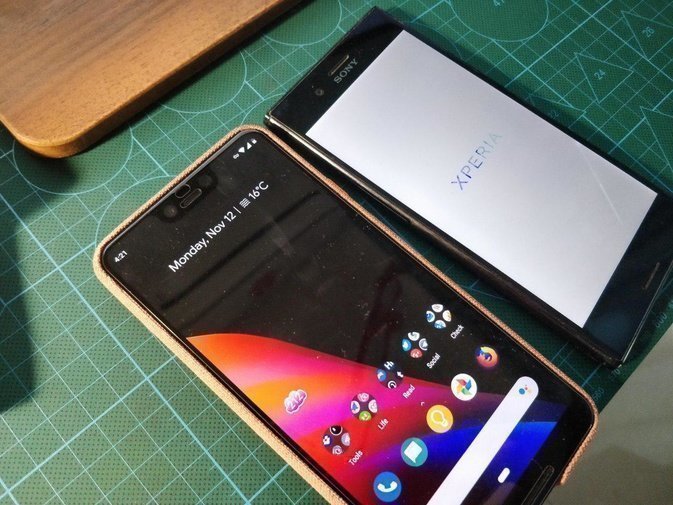
And… after two weeks, I got used to it. I rarely even look at that notch, and it doesn’t bother me anymore… maybe I really do have Stockholm syndrome.
The Pixel 3 XL’s shell is all metal with glass, and I got the Not Pink colorway. It doesn’t look all that girly — if anything, the orange power button is what really pops.
System:
The Google Pixel 3 XL runs Google’s own stock Android Pie, a.k.a. 9.0. But even though it’s Google’s own phone, the Pixel 3 XL’s Android Pie isn’t quite “true stock” — it’s loaded with a bunch of Pixel-only features.
First up is Screen Call, which is roughly like the old answering machine, except Google brought it to the phone. When someone calls, the phone lets you choose to answer, decline, or answer with Screen Call. Once Screen Call picks up, everything the other person says gets recognized by Google and shown as text on the screen. You can have Google Assistant ask what they’re calling about, then decide whether to hang up or take the call yourself.
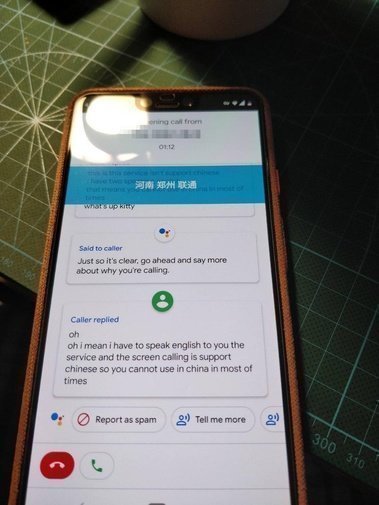
I have to say this feature is genuinely useful. When some unknown number calls, you can pick up fast and check whether the person on the other end is a scammer — or even use it to mess with them, which is its own kind of fun.
But wake up… this feature only supports English, and on top of that, it only works in the US region—it even checks your SIM card.
是的,这个功能取决于你的 SIM 卡运营商。如果你用的不是美国运营商,它会直接屏蔽你——哪怕你是英国用户,也用不了。我不知道 Google 是什么时候学会这套运营商检测的把戏、拿它来关掉自家特定功能的,之前的 Google Launcher 也是这样。不过你依然可以通过屏蔽 Google Service Framework 来拿到手机权限,再用上这个功能,但我觉得那也没什么卵用,而且随着更新,它还是会渐渐被屏蔽掉,因为「Google 发觉你并不在美国」。
I tested it too — in a domestic environment it’s genuinely useless… unless you’re willing to joke around with your friends in broken English.
Meanwhile, the Google Pixel 3 XL’s Android Pie packs a few other interesting features too, including Adaptive Battery, Auto Dark Mode, and a Pixel Launcher that supposedly uses AI (which basically means every time you launch the launcher it guesses what you might want to do based on your habits…). Still, to me these are just bonus features, small pleasant surprises — nothing major.
And I have to complain about that Pixel Launcher — it’s really damn stupid. Everyone knows Android Pie replaced the three navigation buttons with a single little “pill.” Long-press the pill to launch Google Assistant, swipe up for the multitasking view, swipe left or right to quickly switch between recent apps, and the arrow on the left of the pill is the familiar “back.” The idea is that this pill enables full-screen gestures, but it still takes up a horizontal strip at the bottom, so what’s the point? iPhone’s white bar at least looks like it saves space…
The dumbest part is that the pill combined with Pixel Launcher is genuinely stupid. Pixel Launcher opens the app drawer by pressing on the pill and swiping up, but every time I just end up in the multitasking view instead. I have to swipe twice to open the app drawer—unless your fingers are long enough to cover the full distance, which is impossible one-handed. And the row of AI-predicted frequent apps in the multitasking view is wildly unreliable, so it’s a hassle every single time.
Set those complaints aside and almost everything left is a plus: stock Android Pie, better memory management, nicer fonts, and a lot more usable screen real estate. Most of this was covered to death at the launch event, so I won’t repeat it.
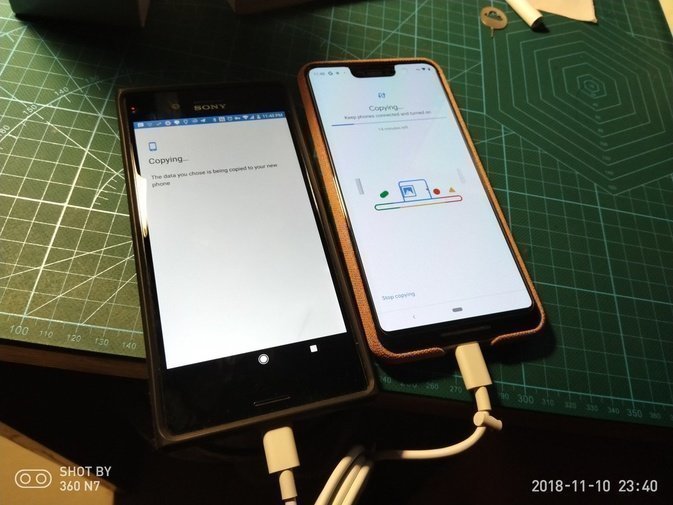
It also supports quickly importing all the data from your old phone. My switch from the Sony to the new phone was almost completely seamless — that deserves a thumbs up.
Specs:
There’s honestly not much to say about the Google Pixel 3 XL’s specs, but I have to say it anyway. On one hand, it’s so thoroughly mediocre that it doesn’t even deserve the flagship label; on the other, it improves a lot of small details, which does keep it feeling like a flagship. All things considered, it neither succeeds nor fails spectacularly.
The Snapdragon 845 is a top-tier chip, sure, but 4GB of RAM, a single camera, and a rear fingerprint sensor—these are the hardware points where the Google Pixel 3 XL deserves some snark. Take the RAM first: is 4GB enough? The answer is obviously yes. Think about it—plenty of Windows 10 machines still get by on 4GB, so does a lousy phone really have higher spec requirements than a PC? And look at the latest iPad Pro: apart from the top-spec model, they’re all 4GB too, and Photoshop runs on them just fine. No problem. So on a phone platform, 4GB is absolutely enough. Then why do we always feel like “4GB isn’t enough”?
On one hand, other manufacturers’ flagship phones all come with 6GB or even 8GB of RAM, which makes the Pixel 3 XL’s 4GB look painfully tight by comparison. On the other, software developers simply aren’t putting any care into optimizing their apps’ quality.
I’ve compared memory usage on phones. Google’s own apps mostly hover around 50M, and even the Google Plus bloatware tops out at 80MB. By contrast, some third-party apps—especially Chinese ones—are downright extravagant with memory. WeChat eating 400M is the norm, never mind Chinese games and other bloatware. Alipay, Taobao, Weibo, Discord, all those apps that never bother optimizing themselves will eat through your RAM fast. With these programs gnawing away, I don’t think 6GB of RAM is really enough—8GB minimum to hold up.
But this isn’t a healthy cycle in the long run. App developers can take as much memory as they want—put another way, however much RAM you have, they’ll dare to use it all. Blindly compromising on hardware isn’t the fix; improving software quality is the real way forward.
If you like using a ton of Chinese apps, the Pixel 3 XL’s RAM is definitely not going to cut it. If you’re like me — mostly Google’s own suite and foreign apps, with the few Chinese apps you do use getting killed off quickly — then it’s not really an issue for the Pixel 3 XL.
The Pixel 3 XL uses a weird combo: a single rear camera and dual selfie cameras up front. If you watched Google’s keynote, you’ll notice the reasoning: “for selfies you need two lenses, one of them ultra-wide so you can fit more people in. For shooting other people with the rear camera, one lens is enough — after all, the stuff other makers need two lenses for, I can do with one.”
On most phones the two rear cameras are there to do different jobs. Sometimes one is a monochrome sensor and the other is color. Sometimes one is a telephoto and the other is the standard lens. But in most shooting situations, only one of them is actually working… Take the One Plus 5 I used before: its second lens only did anything useful when cutting out the subject in Portrait mode, and the rest of the time it just sat there. Rather than slapping on a second camera for the hell of it, you’re better off making one camera shoot well. Google’s attitude here really is the right one. I’ll get into the camera properly later, so I’ll leave it at that for now.
When most phone makers had already moved to in-display fingerprint sensors and structured-light face unlock, the Pixel 3 XL still had a plain old rear fingerprint reader. It looks backward… and honestly it is backward. That doesn’t mean it’s bad to use, though.
The Sony Xperia Z Premium I used before had a side-mounted fingerprint sensor, and I have to complain that its recognition rate was awkward — sometimes it worked, sometimes it didn’t. On top of that, the side sensor only worked after you “pressed the power button,” meaning I had to press power every single time. It couldn’t cut down on power-button presses the way other fingerprint sensors do. I haven’t used an in-display front fingerprint sensor myself; I’ve only seen demo units in places like Meizu specialty stores. I always feel like that kind of recognition has a bit of lag. Maybe, as things stand, a rear fingerprint sensor is still the most mature approach.
Clichéd, sure, but at least it’s still usable.
One huge upgrade on the Pixel 3 XL is the external speakers. They get really loud — so loud that the whole phone vibrates. Foreign reviewers think this is abnormal; the resonance is unpleasant. Google seems to treat it as an intentional design choice. I figure it probably is deliberate… without that much resonance, could it even get that loud? Besides, didn’t Sony pitch the resonance on its new phone as a feature too?
Speaking of haptics, I have to mention the Pixel 3 XL’s vibration motor. If you’ve used a phone like the iPhone 8, the Pixel 3 XL’s motor feels like an iPhone’s — or like the Meizu 15, for that matter. It’s not that cheap Sony-style buzz. That feel is genuinely great.
Photos:
I don’t really know how to compare the Google Pixel 3 XL’s photo quality, and I never bought a Google Pixel 2 XL either, but from the comparisons floating around online, it should be a bigger step up from the previous generation. The single camera carries over the hardware level of the last few rounds, but the software optimization has come a long way — lots of little shooting features got added, including the “pre-shoot” then pick-the-moment thing, plus a much stronger Night Sight.
With its strong HDR processing and the dedicated chip backing it up, the Google Pixel 3 XL basically stomps the Sony Xperia Z Premium I was using before when it comes to photos — even though the latter packs a more advanced lens than the Pixel 3 XL.
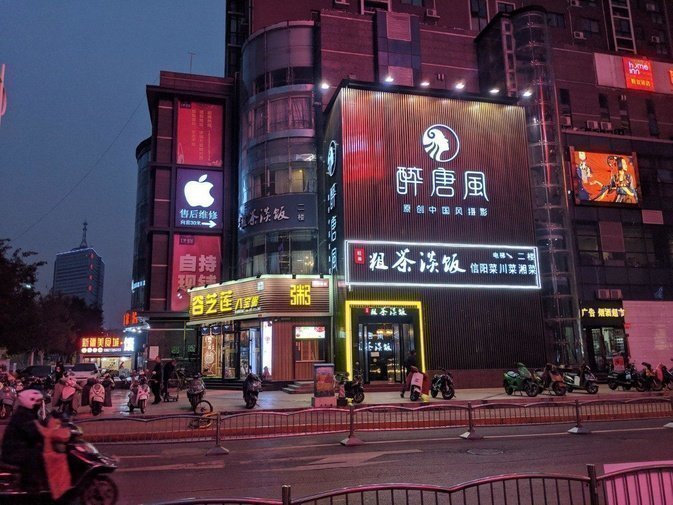

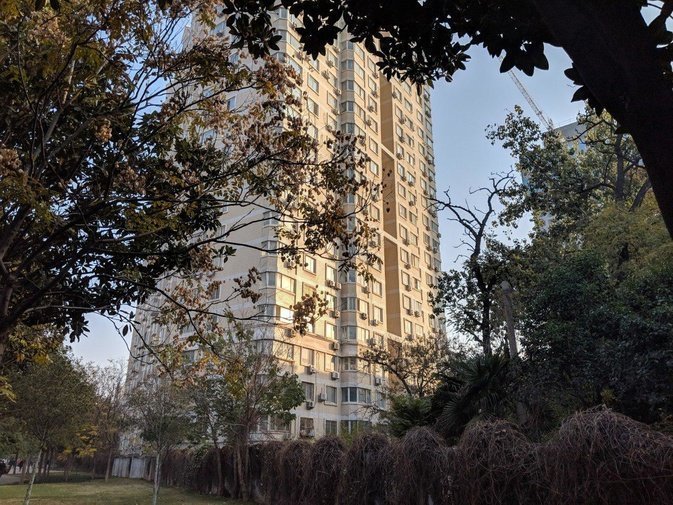
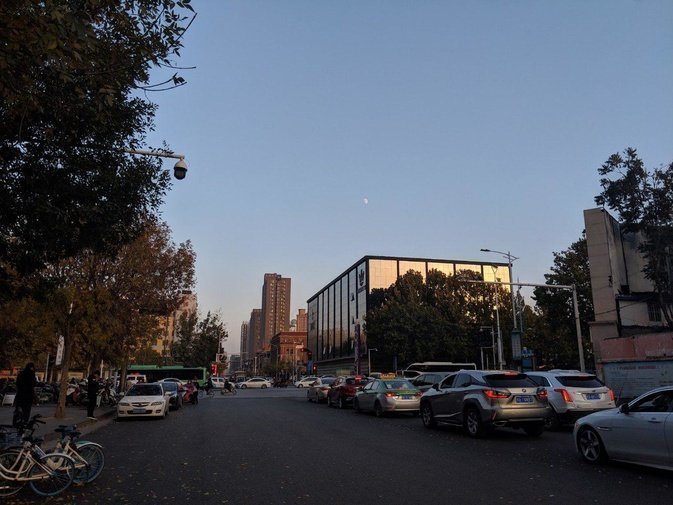
And the Google Pixel 3 XL recently picked up Night Sight too — same trick of stacking and analyzing multiple frames to produce night shots brighter than what your eyes actually see. In practice it’s impressive, but the flaws are still there: you have to hold the phone steady for a long stretch, and any shake gives you an out-of-focus night shot. I don’t know whether Huawei and the other brands’ night modes also demand you hold still that long — my guess is they’re all about the same.
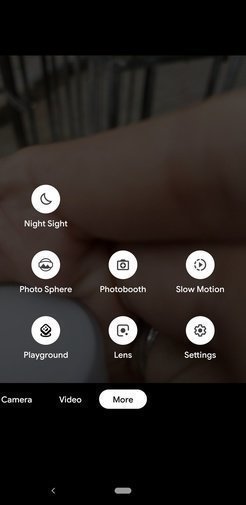

The Google Pixel 3 XL’s camera chops are beyond dispute, but it has its flaws too — flaws baked into a single lens. On one side, wide-angle; on the other, telephoto. Google handles telephoto with a digital-zoom-plus-machine-learning algorithm that looks convincing enough, and in most scenes it can hold its own against optical zoom. But digital zoom is still digital, and next to a real telephoto lens it falls short…
But for phone photography, I think reaching the level of the Google Pixel 3 XL is already pretty good. If you want something professional, you can add external gear, or just switch to a real camera.
Battery life:
Battery life on the Google Pixel 3 XL feels a bit worse than the Sony Xperia Z Premium I was using before, and during long stretches of use it does feel like it drains a little fast. Standby, though, is solid — leave it sitting for ages and it barely loses anything, which is genuinely good compared to the phones I’ve used. Screen-on time is probably around 4–5 hours, which is passable.
The Google Pixel 3 XL comes with a bunch of built-in “smart battery saver” features. These keep an eye on what’s currently running and decide whether to kill apps off quickly. Honestly it’s pretty useful for killing rogue background apps, but personally I still think it falls a bit short of “Black域” and “Greenify”…
It’s close but not quite enough. If you’re lazy, the built-in background killer is still good enough for you — the only occasional issue is that domestic music apps get mysteriously killed, especially when you’re using the camera. Maybe the camera app really is that memory-hungry.
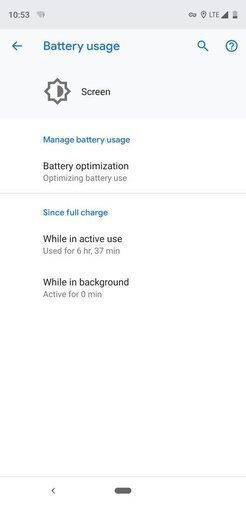
Thanks to the nature of its AMOLED screen, if you want to save battery on the Pixel 3 XL you also need to set your apps to “Dark Mode” as much as possible — the blacker the better. And most apps do support Dark Mode these days.
The Pixel 3 XL supports wireless charging, and it supports 10W fast wireless charging. The most annoying part, though, is that this 10W charging only works when you’re using the official Pixel Stand — with any other charger you’re stuck at 5W…
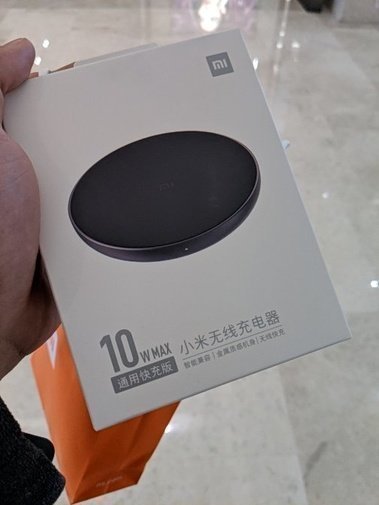
In China, if you’d rather not shell out for the pricey $79 Pixel Stand, you can grab Xiaomi’s 10W wireless charger for just 69 RMB. Sure, it only charges at 5W, but hey — maybe someday it’ll properly support the Pixel?
Screen:
The Pixel 3 XL uses a Samsung AMOLED panel, and it’s high quality — no weird screen issues to speak of, except that brightness seems a bit low. Feels like a software limit, a precaution against a repeat of last year’s Pixel 2 XL disaster, where the screen burned in fast because it ran too bright. And it’s worth noting that within the Pixel 3 family, only the Pixel 3 XL got the Samsung panel; the smaller Pixel 3 stuck with LG, and that thing is already showing all sorts of screen problems and display bugs…
As of right now, when it comes to AMOLED manufacturing, Samsung is still the only one sitting at the top.
Oh right, I heard the Sony Xperia XZ3’s screen is pretty good too, and it’s not a Samsung panel either. Maybe that one’s just an exception.
Accessories:
The Pixel 3 XL still has plenty of accessories out there, because it comes from Google and carries a bit of that official pedigree. In China, though, the choices aren’t quite as plentiful.
As for the case, I went straight for Google’s official Fabric Case when I bought it, in Sandstone Pink. Once it arrived it felt pretty good. The case has its upsides and downsides, both pretty obvious.
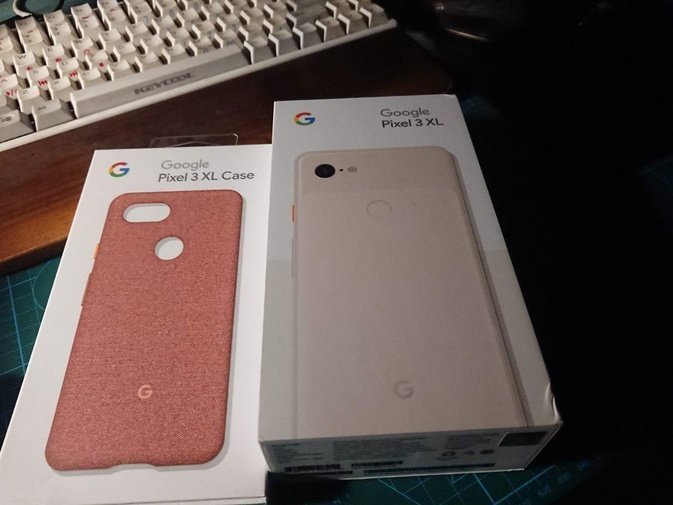
First, the good stuff: it feels great in the hand — really great, you have to try it to get it. The buttons also fit the phone nicely; on the Not Pink model they made the buttons orange too, which really pops.
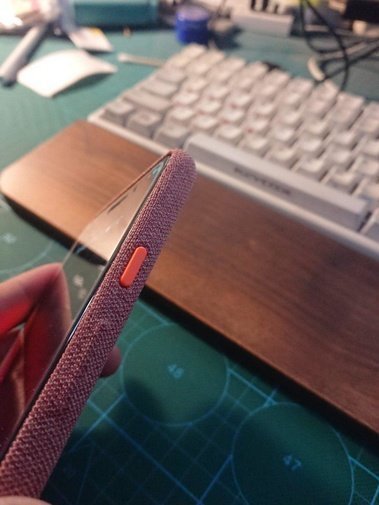
The downside: it gets dirty easily, and the case doesn’t protect it all that well. The front lip doesn’t rise above the screen height, so if the phone lands face-down, the screen is done for.
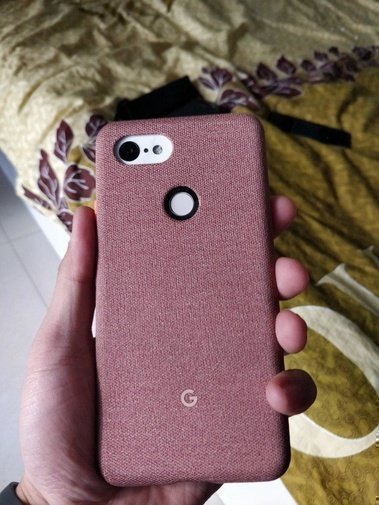
Oh right, one more thing: it’s expensive. I think it’s still acceptable though, given the quality.
For stickers the best is still Dbrand, though on Taobao in China you can find a brand that clones Dbrand almost pixel for pixel. It’s not hard to get Dbrand shipped to China either, it’s just that compared to that Taobao knockoff… it’s a lot more expensive. So which one to buy is up to your own needs.
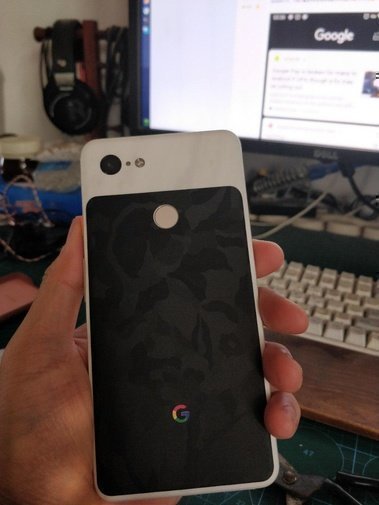
The most important accessories besides a case — there’s one more, and that’s the screen protector.
Pixel 3 XL still has plenty of screen protector options right now. My advice for buying in China: if Nillkin is available, just get Nillkin, no thinking needed. If no Nillkin, just get GOR. If no GOR either, then just go with Smatree. Because so far I’ve found that only Nillkin, GOR, and Smatree make protectors with wide coverage that also keep the coating. The coating really matters way too much — a protector without an oleophobic layer has basically no dreams.
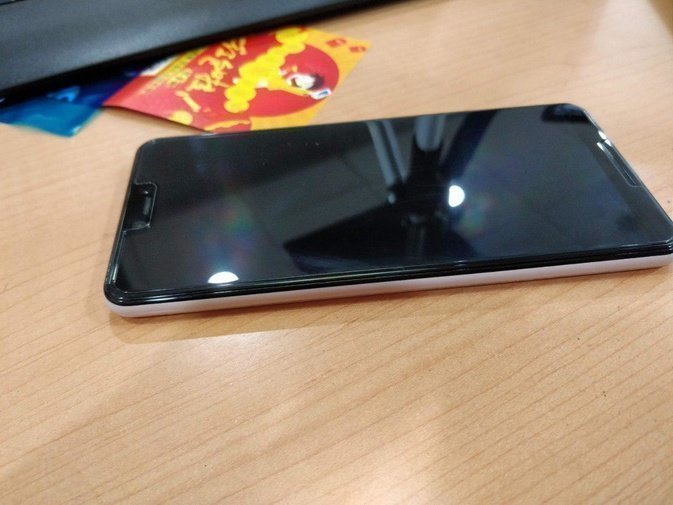
Right now I’m using a GOR screen protector. It has a bit of a curve to it, and the transparency is passable. Only problem is a bit of white edge on both sides — pretty obvious, and it’s caused by the curved screen…
The fix follows the usual playbook: white-edge oil — whether it’s wmwx or AB glue, or the method Westerners recommend of using Loca optical adhesive and then curing it with a UV lamp — any of these will get rid of the white edge, and there are no real aftereffects. Pretty much perfect, honestly…
Summary:
The Google Pixel 3 XL is a pretty middle-of-the-road Google phone. The hardware isn’t anything special, but the software experience is passable, I guess…
I said “passable” because there are still a ton of bugs on the software side right now — lousy memory management (killing processes for no reason), slightly weak battery life, weird-sounding recordings, the hide-the-notch feature still isn’t there… and so on and so forth.
The good news is that these are all software issues. Google says it’ll fix them soon, and Google has also promised three years of major OS upgrades for the Pixel 3. If you’re willing, you can stay a Nexus/Pixel (Google’s own) loyalist until 2021. Forget competing on hardware and focus on the software — this phone can still last you a long time.
Maybe in two years the RAM won’t be enough anymore, but I don’t see that as a problem. eBay already has services that bump the Google Pixel 2 and Pixel 3 up to 6GB of RAM, so an upgrade down the line might not be out of the question.
Why spend that much money on a “stupidity tax” machine like this? Maybe it’s because I’m getting old — I can’t be bothered anymore with phones that have “great specs but a shit OS.” I just want a stock Android phone that offers a solid software experience and can be counted on to get major version updates.
Those domestic Android skins really can’t be trusted. The Xiaomi Mi Pad 4 is still stuck on MIUI 10 beta, OnePlus 5 promised an Android Pie update that’s still nowhere in sight, and Sony rolls updates out by region. Compared to all that, only a Nexus/Pixel (Google’s own) can actually meet my needs.
It brings to mind what my cousin told me years ago when he urged me to buy the Galaxy Nexus:
“With phones it’s mostly about the software. If the software’s guaranteed, the hardware’s actually worth something. Without long-term software support, all that hardware is useless.”
Looks like I’m probably going to keep going down the Nexus/Pixel (Google’s own) road and never turn back. Buying a phone with guaranteed software support and just using it for a long time—that’s the optimal solution, isn’t it.
Comments are hosted on the Chinese main site. This mirror is read-only.