Review: FiiO BTR3
About the FiiO BTR3 Bluetooth DAC/Amp
As someone who’s been out of the audiophile game for ages, I find the current enthusiast market kind of funny and kind of sad at the same time.
Ever since I redirected the money I used to spend on headphones into buying music albums, I feel like my horizons have widened. “A ten-thousand-yuan IEM isn’t worth hearing ten thousand albums,” or something like that. At least I’m not like some grade-schooler on Reddit, buying insanely expensive IEMs just to listen to a music library that hasn’t been updated in years, flipping back and forth through the same dumb test tracks. Or running high-end gear to listen to doujin music produced in some low-end studio. That’s just unscientific.
High-end audio gear really does work, sure. But for most people it’s useless, and for most audiophiles it’s also not much use — unless you’re a die-hard classical fan and love other large-ensemble music so much you refuse to listen to anything that isn’t a SACD from a famous studio. Then yes, high-end gear does work. But for most people like me, who listen to pop, occasionally some small-ensemble stuff, and just want to feel the charm of a melody — as long as the headphones don’t have that “boom-tss boom-tss” low-brow tuning and aren’t distorting or off-balance, that’s about enough.
Yes, about enough. How do you know that the ten-thousand-yuan suit-and-tie stack you bought wasn’t used to listen to songs made by someone using a garbage 5-yuan USB cable? With that money you’re better off just listening to more music. So I’ve been increasingly abandoning wired gear and trying Bluetooth.
The biggest advantage of Bluetooth is convenience. The biggest disadvantage is, naturally, sound quality. But with APTX and LDAC gradually opening up, Bluetooth has more or less reached the “listenable” stage.
So I bought the FiiO BTR3 Bluetooth DAC/amp, two and a half months ago…
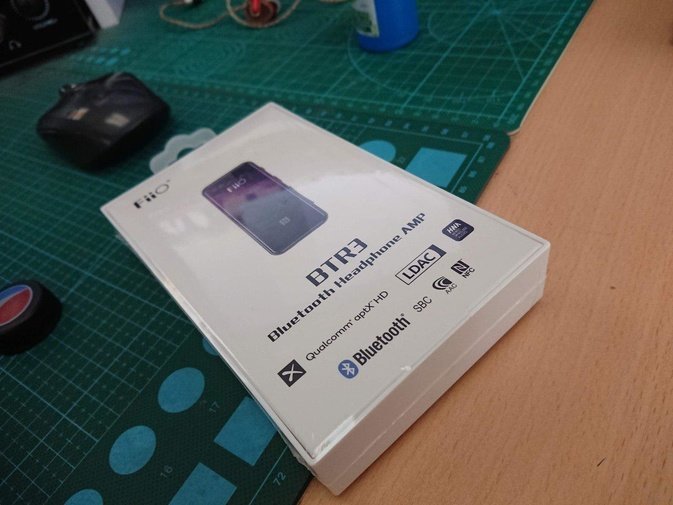
Why did it take me this long to write up my impressions? That’s a long story.
Honestly, there isn’t much to say about the FiiO BTR3. Build quality is genuinely good, with Gorilla Glass on the front, smooth and rounded, feels great in the hand, and the breathing light combined with that glass looks absolutely gorgeous. It supports every codec the machine can support, including the best one, LDAC — people say it’s a software-level implementation, but LDAC in Android 8 and 9 is also software-implemented, so what’s the problem?
After pairing it uses LDAC, and I measured battery life at about 5–6 hours, more than enough for half a day of listening.
It charges via USB Type-C, and charges fast. When it’s dead, by the time you come back from taking a dump in the bathroom it’s about ready to go again. Arrange your schedule right and you can pull off a “infinite battery life” stunt. Absolutely insane.
It also has a clip, so you can pair it with whatever headphones you want — big over-ears or small IEMs, all can be converted from wired to wireless. Comfortable as hell to use.
Linux support is also quite good. You can get LDAC and APTX (and recently AAC) support by installing Ehfive’s PulseAudio-BT module.
sudo add-apt-repository ppa:eh5/pulseaudio-a2dp
sudo apt-get update
sudo apt-get install libavcodec-dev libldac pulseaudio-module-bluetooth
Other distros can refer to its Wiki for installation packages.
Worth noting here: if you’ve improved PulseAudio’s sound quality under Linux, that may cause distortion when using LDAC.
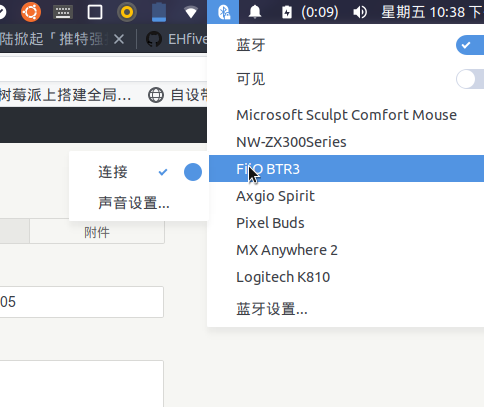
The fix is to abandon that decoding approach and switch to resample-method = soxr-vhq.
This PulseAudio-BT module also supports LDAC’s ultra-high quality setting, which you can change in the config file /etc/pulse/default.pa:
# LDAC Standard Quality
load-module module-bluetooth-discover a2dp_config="ldac_eqmid=sq"

# LDAC High Quality; Force LDAC/PA PCM sample format as Float32LE
#load-module module-bluetooth-discover a2dp_config="ldac_eqmid=hq ldac_fmt=f32"
The latter is ultra-high quality. I tested it and it’s fine most of the time, but… if there’s a big 2.4G signal interference nearby, forget it. It’s not broadly applicable, so test it and switch back.
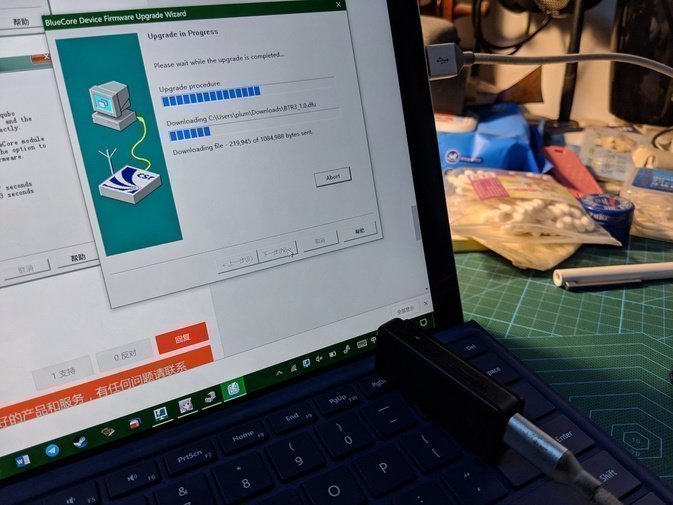
The FiiO BTR3 also supports firmware upgrades, but you need a Windows PC and you have to install a bunch of official suites and drivers. The upgrade process went smoothly enough — it’s just that after upgrading I… didn’t notice any difference. The official changelog says it just adds various support for the Android client, which I don’t use.
Now the key part: I bought this thing two and a half months ago, so why am I only writing about it now…? Because I cracked it in the meantime.
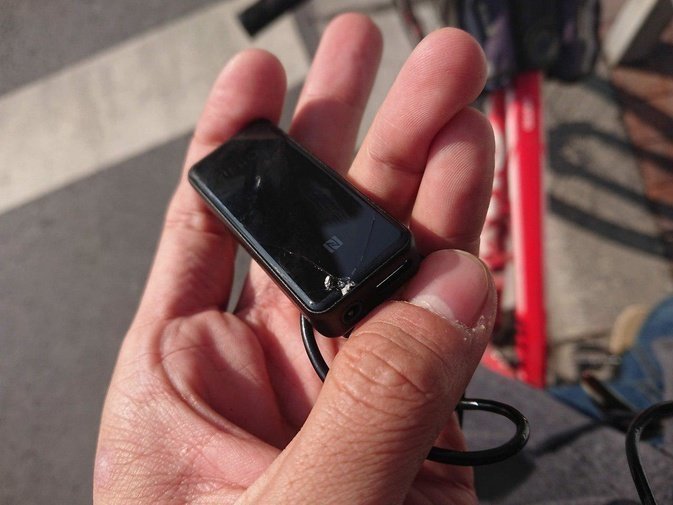
How it happened: I pulled it out, it was too slippery, and it hit the ground. Sometimes Gorilla Glass isn’t a good thing — it can bring tragedy.
Functionality is fine, but looking at it cracked like that bothers me. So I contacted FiiO’s official after-sales service with a “let’s give it a try” attitude, and they told me they could do a paid repair.
I filled out the repair request form in FiiO’s official WeChat, then shipped it directly to the address they gave. Two days later I got a text saying it had started queuing for repair. Two more weeks passed and someone from FiiO contacted me to say it was fixed. The fee was 20 yuan, way cheaper than I expected. FiiO even sent it back with free shipping. Add the 10 yuan I paid to ship it there, and fixing the glass cost me 30 yuan total. Acceptable, I guess.
If you’ve got a broken FiiO product on hand, might as well try this route — the price probably won’t be too bad.
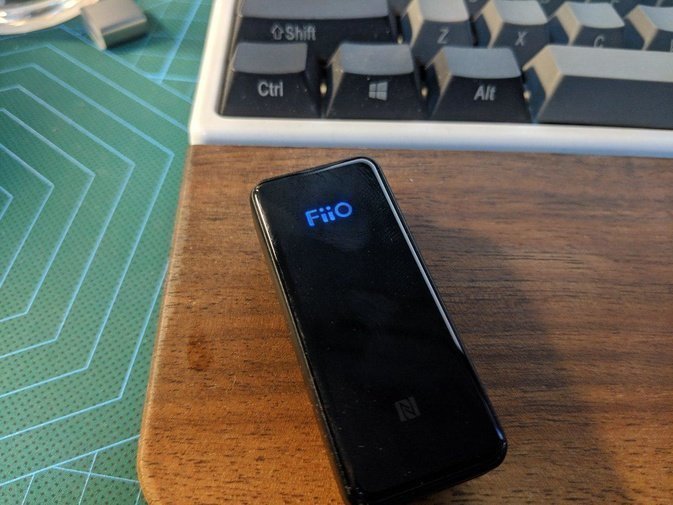
On the whole, the FiiO BTR3 Bluetooth DAC/amp is worth buying. Decent battery life, good looks, complete codec support, and not expensive. As for the sound… I don’t hear any noise, the noise floor is basically inaudible, and it feels reassuring to use. I’m not going to ask for more than that.
After all, I’m listening to music, not to the Hotel California.
Comments are hosted on the Chinese main site. This mirror is read-only.